Loading
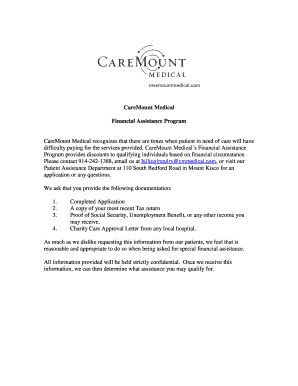
Get Financial Assistance Program - Caremount Medical
How it works
-

Open form follow the instructions
-

Easily sign the form with your finger
-

Send filled & signed form or save
How to fill out the Financial Assistance Program - CareMount Medical online
Completing the Financial Assistance Program application from CareMount Medical is a straightforward process that allows individuals in need of support to access necessary medical services. This guide provides systematic instructions to help users fill out the form effectively and ensure that all necessary information is submitted.
Follow the steps to complete your application successfully.
- Press the ‘Get Form’ button to obtain the Financial Assistance Program application, which will open in an editable format.
- Begin by filling in your Account Number at the top of the form. If you do not have an account number, you may leave this field blank.
- Enter your Patient Name and Date of Birth in the designated fields to identify your application.
- Provide your Mailing Address, ensuring to include your street address, city, state, and ZIP code in the appropriate sections.
- Fill in your Home Phone and Cell Phone numbers for contact purposes.
- Specify the Family Size or the number of people in your household in the respective field.
- List the Family Household Members’ names and their dates of birth in the provided section, completing all requested slots.
- Indicate your sources of income in the Income section. Complete the fields for each type of income for both the Patient and Spouse, if applicable.
- Calculate and write down the total income from all listed sources, ensuring accuracy.
- Review the entire application form to verify that all information is complete and accurate before submitting.
- After reviewing, save any changes made to the application. You can then choose to download, print, or share the completed financial assistance application.
Complete your Financial Assistance Program application online today to ensure access to necessary medical services.