Loading
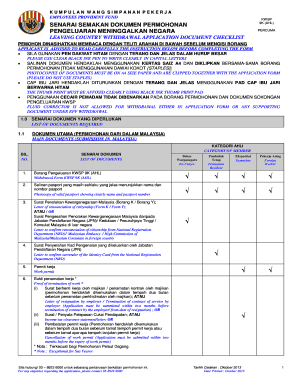
Get Kwsp 9k Ahl Withdrawal Form
How it works
-

Open form follow the instructions
-

Easily sign the form with your finger
-

Send filled & signed form or save
How to fill out the Kwsp 9k Ahl Withdrawal Form online
The Kwsp 9k Ahl Withdrawal Form is essential for individuals wishing to withdraw their funds when leaving the country. This guide provides step-by-step instructions to ensure a smooth and accurate completion of the form online.
Follow the steps to successfully fill out the form.
- Click the ‘Get Form’ button to obtain the form and open it in the editor.
- Fill in your personal details, including your membership number, identification number, and contact information. Ensure all fields are completed clearly using black ink.
- Provide your bank details in section C for direct crediting, selecting your preferred EPF panel bank and entering the bank account number.
- Complete the next of kin's details as required in section B, ensuring the provided information is accurate.
- Tick the relevant mode of payment in section C, choosing between direct crediting, a banker’s cheque, or a foreign demand draft.
- Affix your left and right thumb prints in section D using a black ink thumbprint pad. Make sure the prints are clear and visible.
- Review all information carefully for accuracy before saving your changes.
- Once completed, you can either download, print, or share the form as needed.
Start filling out the Kwsp 9k Ahl Withdrawal Form online today to ensure a smooth withdrawal process.
A business requirements document (BRD) template provides a framework to offer stakeholders the logistical details of a proposed project. A BRD template includes project scope, business drivers, proposed process, and functional requirements to demonstrate your project's sound footing prior to development.