Loading
Get Semesterlista Excel
How it works
-

Open form follow the instructions
-

Easily sign the form with your finger
-

Send filled & signed form or save
How to fill out the Semesterlista Excel online
Filling out the Semesterlista Excel is an important process for organizing your company's schedule and ensuring clarity in planning. This guide provides step-by-step instructions for completing the form effectively, helping you navigate each section and field with ease.
Follow the steps to fill out the Semesterlista Excel seamlessly.
- Click the ‘Get Form’ button to access the Semesterlista Excel and open it for editing.
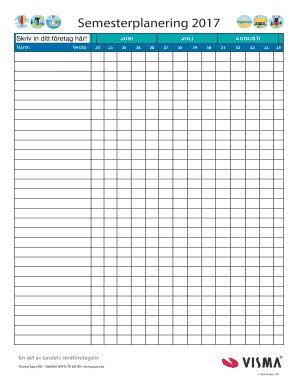
- Input your company name in the designated field labeled 'Skriv in ditt företag här!' to personalize the document.
- Navigate to the weekly sections laid out under the months of June, July, and August. Here, you will enter relevant information for each week.
- For each week, input any planned activities or events in the appropriate fields. Use clear and concise descriptions to ensure accuracy.
- Review the information entered for each week to confirm it aligns with your scheduling needs before finalizing your entries.
- Once you have completed the form, you can choose to save your changes, download the document, print it, or share it as necessary.
Start filling out the Semesterlista Excel online today to streamline your planning process.