Loading
Get Zion Bank Outgoing Wire Transfer Order/record 2011-2026
How it works
-

Open form follow the instructions
-

Easily sign the form with your finger
-

Send filled & signed form or save
How to fill out the Zion Bank Outgoing Wire Transfer Order/Record online
Filling out the Zion Bank Outgoing Wire Transfer Order/Record online is a straightforward process that ensures your funds are transferred securely and efficiently. This guide provides clear instructions on how to complete each section of the form, enabling you to navigate the online process with confidence.
Follow the steps to complete your wire transfer order online.
- Press the ‘Get Form’ button to access the required form. This will open the Outgoing Wire Transfer Order/Record for you to fill out.
- Begin by entering the date of the wire transfer in the designated field. Be sure to use the current date for accurate processing.
- Next, input the time the transfer is requested to be processed. Include the time zone if applicable.
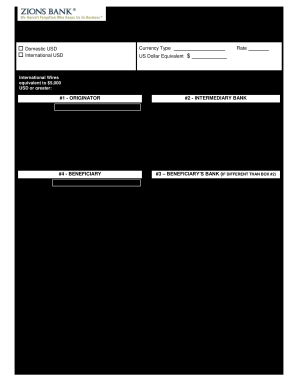
- Indicate the currency type for the transfer. Choose 'US Dollars' or 'Foreign Currency' by selecting the appropriate checkbox.
- For the amount, enter either the US dollar amount or the foreign currency amount, depending on your selection in the prior step.
- Specify whether this transfer is domestic or international by selecting the corresponding option.
- Fill in the originator’s line of business, as well as their relationship to the beneficiary, and the purpose of the wire transfer.
- Complete the #1 Originator section by providing the name, bank name, account number, routing/transit number, address, city/state/ZIP, and other pertinent details.
- If applicable, fill out the #2 Intermediary Bank section with the necessary information, including name, bank name, account number, routing/transit number, address, city/state/ZIP, and any codes required like SWIFT or sort code.
- For #3 Beneficiary’s Bank, provide the same information as above if the beneficiary's bank is different from the intermediary bank.
- In #4 Beneficiary, include the name, bank name, account number, routing/transit number, address, city/state/ZIP, and any SWIFT or sort codes as needed.
- If there are special instructions for the wire transfer, please include them in the designated section.
- Finally, the originator or authorized signer must provide their signature, along with their PIN number, phone number, and email to ensure secure processing.
- Once all sections are complete, review your entries for accuracy, and then save your changes, download the document, print it, or share it as needed.
Complete your Zion Bank Outgoing Wire Transfer Order/Record online today for efficient banking.
To enter a wire transfer into QuickBooks, go to the 'Banking' section and click on 'Make Deposits.' Enter the transfer details, including the source account and the amount. This process is vital to maintaining an accurate Zion Bank Outgoing Wire Transfer Order/Record for your business accounting.