Loading
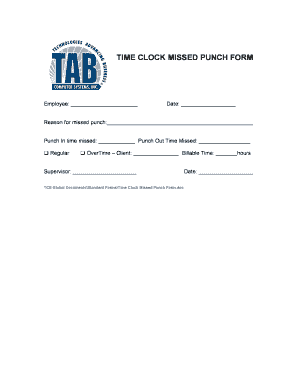
Get Missed Punch Form
How it works
-

Open form follow the instructions
-

Easily sign the form with your finger
-

Send filled & signed form or save
How to fill out the Missed Punch Form online
Filling out the Missed Punch Form is essential for accurate timekeeping when you forget to clock in or out. This guide will help you navigate the form easily and ensure that all necessary information is provided.
Follow the steps to complete the Missed Punch Form online.
- Click ‘Get Form’ button to obtain the Missed Punch Form and open it in the online editor.
- In the 'Employee' section, enter your name as it appears on your company records.
- Next, provide the 'Date' when the missed punch occurred in the designated field.
- In the 'Reason for missed punch' section, briefly explain why you were unable to clock in or out.
- Fill in the 'Punch In time missed' and 'Punch Out Time Missed' fields with the respective times you missed.
- Identify whether the missed time pertains to 'Regular' or 'OverTime.' If it’s overtime, specify the 'Client' and the 'Billable Time' in hours.
- Enter the name of your supervisor in the 'Supervisor' section.
- Review all entries for accuracy and completeness before finalizing.
Ensure your timekeeping is accurate by completing the Missed Punch Form online today.
On a kiosk, if you have missed a clock in/out, the above screen will indicate that you have a Missed Clock In/Out. 2. To enter that missed punch manually, press Continue. Note: If using a FOB, you do not get the Missed Clock In/Out screen. Time Entry.