Loading
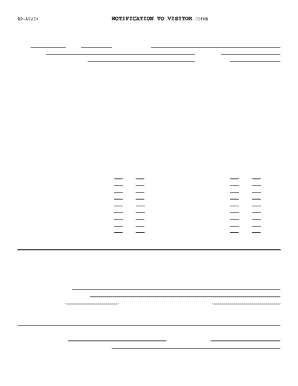
Get Bp A0224
How it works
-

Open form follow the instructions
-

Easily sign the form with your finger
-

Send filled & signed form or save
How to fill out the Bp A0224 online
This guide provides step-by-step instructions for filling out the Bp A0224 form online. It is designed to make the process clear and accessible for all users, ensuring that you understand each section and field.
Follow the steps to successfully complete the Bp A0224 form online
- Press the ‘Get Form’ button to access the Bp A0224 and open it in your preferred online editor.
- Fill in the date and time fields. Ensure the information entered is accurate and reflects your visit schedules.
- Enter the officer's name and the institution's details where the visitation will take place. Include the location for more clarity.
- Provide the name of the inmate you are visiting, alongside their register number to ensure proper identification.
- Review the notices about consent to search and prohibited activities carefully. Make sure to understand these rules fully.
- Answer all questions regarding the possession of prohibited items accurately. Indicate 'Yes' or 'No' for each item listed.
- If carrying prescription drugs, list all types in the designated space and note that they must be left at the entry area.
- Sign the form where indicated, providing your printed name as well. Make sure that all information is correct before submission.
- Finally, include details such as your street address, vehicle license number, and vehicle details (year, color, make, and model) as required.
- If you have children under 16 accompanying you, complete the section detailing their names here. If not visiting an inmate, specify the name of your organization and purpose of your visit.
- Once all necessary fields are completed, review the form for accuracy, then save changes, download, print, or share the completed form as needed.
Start filling out your Bp A0224 form online today for a smooth visitation experience.
Dear (First Name), I hope this letter finds you doing well and in good spirits. I wanted to write to let you know that I'm thinking of you and wishing you the best. I wanted to share some news about what's been going on in my life recently.