Loading
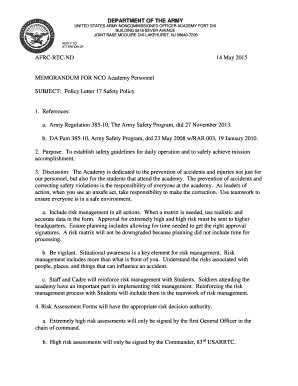
Get Policy Letter 17
How it works
-

Open form follow the instructions
-

Easily sign the form with your finger
-

Send filled & signed form or save
How to fill out the Policy Letter 17 online
This guide provides a comprehensive overview of how to complete the Policy Letter 17 online. It walks you through each section of the form, offering detailed instructions to ensure a smooth and efficient completion process.
Follow the steps to successfully complete the Policy Letter 17 online.
- Click ‘Get Form’ button to access the form and open it in your chosen editor.
- Begin with the header section by entering the appropriate addresses and date. Make sure the format is clear and follows standard professional conventions.
- In the subject line, clearly state 'Policy Letter 17 Safety Policy' to identify the purpose of the document.
- Reference section: Clearly list and number any relevant documents such as Army Regulations and DA Pam. Ensure that each reference is cited accurately to support the context of the policy.
- In the purpose section, summarize the intent of the policy. Emphasize the importance of safety guidelines for daily operations and mission accomplishment.
- Move on to the discussion section. Elaborate on the academy's commitment to accident prevention and the collective responsibility for safety among all personnel and students.
- Include risk management practices as outlined in the policy. Describe the need for accurate data and processing time for risk assessments.
- Detail the signing protocol for risk assessments based on the level of risk: Extremely high, high, moderate, and low. Ensure clarity to avoid any confusion regarding who has authority for each level.
- State the importance of situational awareness and proactive communication regarding safety concerns. Include that the command team is a resource for immediate issues.
- Finally, create a section for contact information to allow users to reach out for additional questions or clarification. This promotes a supportive environment.
- Once you have completed all sections, review the document for clarity and accuracy. Save your changes, and consider downloading, printing, or sharing the form as needed.
Complete your Policy Letter 17 online today.
U.S. Army Garrison Benelux policy letters, regulations and other published documents are located on Sharepoint ✪. If you are non-CAC user who needs access to policy memorandums, please contact the Document Services manager at DSN 314-597-5586 or civilian +32(0)68-25-5586.
Industry-leading security and compliance
US Legal Forms protects your data by complying with industry-specific security standards.
-
In businnes since 199725+ years providing professional legal documents.
-
Accredited businessGuarantees that a business meets BBB accreditation standards in the US and Canada.
-
Secured by BraintreeValidated Level 1 PCI DSS compliant payment gateway that accepts most major credit and debit card brands from across the globe.