Loading
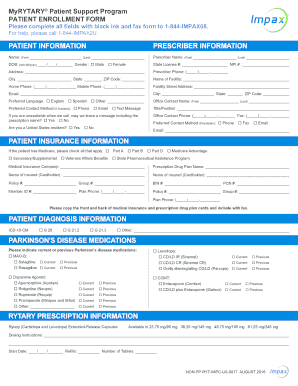
Get Myrytary Patient Enrollment Form
How it works
-

Open form follow the instructions
-

Easily sign the form with your finger
-

Send filled & signed form or save
How to fill out the Myrytary Patient Enrollment Form online
Filling out the Myrytary Patient Enrollment Form online is a crucial step in accessing necessary support for patients with Parkinson's disease. This guide provides a clear and straightforward approach to completing the form accurately and efficiently.
Follow the steps to successfully complete the enrollment form.
- Click ‘Get Form’ button to obtain the form and open it in your chosen digital format.
- Begin by entering your patient information. Fill in your first and last name, date of birth (mm/dd/yyyy), and gender. Ensure to use black ink when filling this out in physical form.
- Next, complete the prescriber information section. Include the prescriber's name, state license number, NPI number, contact information, and preferred contact method.
- Move on to the patient insurance information. Indicate if the patient has Medicare and check all applicable options. Provide details regarding the medical insurance company and prescription drug plan.
- In the patient diagnosis information section, select the correct ICD-10-CM diagnosis code. If applicable, write in any other diagnoses.
- For Parkinson's disease medications, select the current or previous medications from the list provided, including MAO-B inhibitors, Agonists, and options.
- Fill out the Rytary prescription information, including dosing instructions, start date, number of tablets, and the number of refills needed.
- Review and complete the patient authorization for use/disclosure of health information section. Sign and date the form to grant permission for sharing necessary personal information.
- If applicable, fill in the patient authorization to disclose to others section, listing individuals authorized to access medical information.
- Lastly, the prescriber must complete and sign the prescriber attestation section, verifying the information provided.
- Once all fields are filled out, save any changes made. You can then download the form, print it, or share it as needed. Ensure to fax the completed form to the number provided.
Complete your Myrytary Patient Enrollment Form online today for efficient access to essential support services.
Call 1-844-467-2928 (Monday through Friday, 8:00 AM – 8:00 PM ET) or visit MyRYTARY.com. Tell a case manager if you can't afford your medication. He or she will be able to help you determine if you may be eligible for one of the many financial assistance options available.