Loading
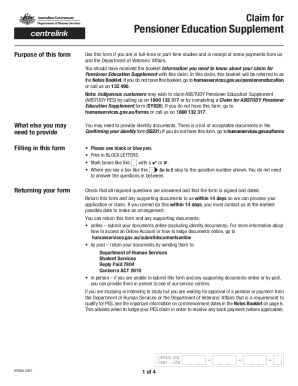
Get Pensioner Education Supplement - Humanservices Gov
How it works
-

Open form follow the instructions
-

Easily sign the form with your finger
-

Send filled & signed form or save
How to fill out the Pensioner Education Supplement - Humanservices Gov online
The Pensioner Education Supplement is designed to assist eligible individuals with the costs associated with their education. This guide provides a supportive, clear, and detailed step-by-step approach to help you fill out the Pensioner Education Supplement form online.
Follow the steps to successfully complete your form online.
- Click ‘Get Form’ button to obtain the form and open it in the editor.
- Provide your personal information, including your name, address, date of birth, and contact details. Ensure clarity and accuracy while filling out these fields.
- Indicate your current education details in Section 15. Include the name of your institution, the course you are studying, and the expected start and completion dates.
- Complete the section regarding your employment status. Indicate whether you are employed as a full-time apprentice or trainee, and note any other relevant employment information.
- Attach any necessary supporting documents as specified, such as proof of enrolment if you are not a secondary school student or if you are starting a new course.
- Review all entered information for accuracy and ensure all required fields and supporting documentation are completed.
- Submit your form online within the stipulated deadline to ensure you receive any entitled payments without delay.
- Finally, save changes, download, print, or share the form as required after submission.
Complete your Pensioner Education Supplement form online today to ensure your education needs are supported.
The rate of DSP increased from 20 September 2023. This means you may get a partial increase in your first payment after this date, and the full increase after that. Read more about the changes and how much you can get.