Loading
Get Trupartnercu
How it works
-

Open form follow the instructions
-

Easily sign the form with your finger
-

Send filled & signed form or save
How to fill out the Trupartnercu online
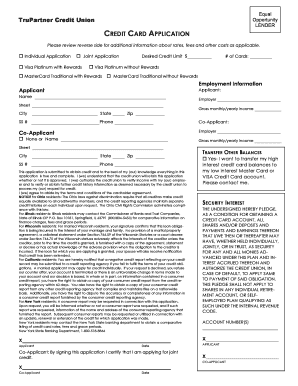
Filling out the Trupartnercu credit card application online can be a straightforward process when you know the steps involved. This guide will provide you with detailed instructions to ensure you complete the form accurately.
Follow the steps to complete your Trupartnercu application with ease.
- Press the ‘Get Form’ button to access the Trupartnercu application form and open it for editing.
- Select whether you are submitting an individual or joint application by marking the appropriate box.
- Choose your desired credit card type from the options available: Visa Platinum with Rewards, Visa Platinum without Rewards, MasterCard Traditional with Rewards, or MasterCard Traditional without Rewards.
- Fill in the desired credit limit in the provided space next to 'Desired Credit Limit'.
- Indicate the number of cards you wish to obtain by entering the quantity in the space provided labeled '# of Cards'.
- Complete the employment information section for both the applicant and co-applicant, including names, addresses, income details, and social security numbers.
- Read and review the statement regarding the truthfulness of the application information and the author's agreement to the terms.
- Sign the application with your name and date, ensuring all required fields have been filled out.
- If applicable, indicate your preference to transfer other balances and provide relevant consent.
- Once you have filled out all sections accurately, you can save changes, download the form, print it, or share it as needed.
Submit your application online today for a streamlined credit card experience.
It's easy — Zelle® is already available in your mobile banking app! Check your app and follow a few simple steps to enroll with Zelle® today. Log into the Financial Partners app. Select "Send money with Zelle®".