Loading
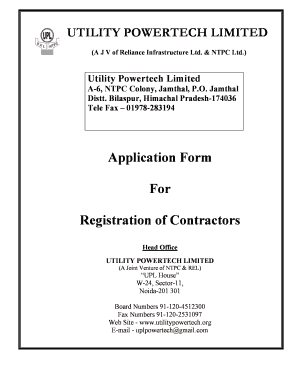
Get Utility Powertech Limited
How it works
-

Open form follow the instructions
-

Easily sign the form with your finger
-

Send filled & signed form or save
How to fill out the Utility Powertech Limited online
This guide provides a detailed walkthrough for completing the Utility Powertech Limited registration form online. It aims to support users by offering clear, step-by-step instructions tailored for those seeking to become registered contractors with Utility Powertech Limited.
Follow the steps to successfully complete the registration form.
- Press the ‘Get Form’ button to obtain the registration form and open it in your document editor.
- Fill in the 'Name of the organization' field with the full official name of your contracting company. Ensure accuracy as this will be used for identification.
- Enter the 'Name of the Key Person & Designation'. This should be a representative from your organization who will act on its behalf.
- Describe the 'Nature of Business'. Specify the services your organization provides relevant to the registration.
- Complete the 'Full Address & mobile/Telephone/Fax No.' section with all relevant contact information.
- Detail your 'Registration with other organizations' if applicable. Provide specific references to any certifications or licenses held.
- Indicate the 'Constitution of Firm' by selecting from the options provided: Limited, Pvt. Limited, Partnership, or Proprietary.
- Fill out the 'Name of Banker' field with the name of your banking institution.
- Select the appropriate 'Category of Registration' by marking the relevant fields for the services your firm can provide. Each category includes options such as maintenance, construction, and non-conventional services.
- State the 'Financial value of the packages which the Firm can execute' by selecting from the provided range options.
- Provide the 'Experience of the Firm', detailing previous contracts and relevant project history.
- List the 'Details of Tools & Plants available with The Firm', specifying tools, equipment, and machinery that your organization possesses.
- Complete the 'Declaration' section by signing and providing the name and designation of the authorized signatory. This declaration asserts that the information provided is correct.
- Review all filled sections for accuracy before finalizing the document.
- Submit the registration form. You may save your changes, download the form, print it for physical submission, or share it via email as needed.
Complete your registration with Utility Powertech Limited online today to establish your contractor's credentials.
Rakesh Prasad - Chief Executive Officer - Utility Powertech Limited.
Industry-leading security and compliance
US Legal Forms protects your data by complying with industry-specific security standards.
-
In businnes since 199725+ years providing professional legal documents.
-
Accredited businessGuarantees that a business meets BBB accreditation standards in the US and Canada.
-
Secured by BraintreeValidated Level 1 PCI DSS compliant payment gateway that accepts most major credit and debit card brands from across the globe.