Loading
Get Www Snaponequipment Com
How it works
-

Open form follow the instructions
-

Easily sign the form with your finger
-

Send filled & signed form or save
How to fill out the Www Snaponequipment Com online
This guide provides comprehensive instructions on how to correctly fill out the Www Snaponequipment Com form online. With clear steps and detailed explanations, users of all levels can navigate the process smoothly.
Follow the steps to complete the form effectively.
- Click 'Get Form' button to obtain the form and open it for editing.
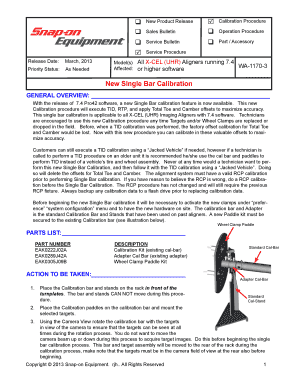
- Begin by reviewing the general overview of the calibration procedure outlined in the document. Ensure you understand the importance of the new Single Bar calibration and its application to all X-CEL (UHR) Imaging Aligners with 7.4 software.
- Proceed to the parts list section to familiarize yourself with the necessary components. Verify the part numbers and descriptions needed for the calibration kit.
- Follow the specified actions to set up the calibration bar and stands correctly. Ensure the calibration bar and stands do not move during the calibration process.
- Select the calibration option from the main menu and navigate to the Single Bar Calibration option. Ensure you select the appropriate wheel clamps being used.
- Carefully mount the calibration paddles and targets on the calibration bar, ensuring they are vertical for accurate readings.
- Lock the calibration bar in each specified position as prompted by the software. Pay close attention to the stop sign indicators that appear during the calibration process.
- Once calibration is complete, check for a completion flag indicating that the process was successful. Verify the alignment system with a vehicle with known alignment angles before returning it to service.
- After all adjustments and verifications are done, you have the option to save your changes, download, print, or share the completed form as needed.
Complete your documents online with confidence and accuracy.
To obtain warranty service or a particular Product Warranty, please call Snap-on Equipment at 1-800-225-5786 or write to SOECustomerParts@snapon.com. By repairing or replacing a Product, or providing a refund, Snap-on Equipment does not waive a claim that a Product nevertheless has been subject to abnormal use.
Industry-leading security and compliance
US Legal Forms protects your data by complying with industry-specific security standards.
-
In businnes since 199725+ years providing professional legal documents.
-
Accredited businessGuarantees that a business meets BBB accreditation standards in the US and Canada.
-
Secured by BraintreeValidated Level 1 PCI DSS compliant payment gateway that accepts most major credit and debit card brands from across the globe.