Loading
Get Ministry Of Climate Change & Environment (moccae) Model
How it works
-

Open form follow the instructions
-

Easily sign the form with your finger
-

Send filled & signed form or save
How to fill out the Ministry Of Climate Change & Environment (MOCCAE) Model online
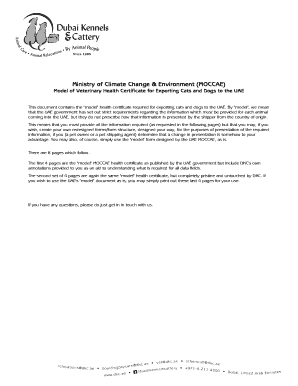
This guide provides clear instructions on completing the Ministry Of Climate Change & Environment (MOCCAE) Model for exporting cats and dogs to the UAE. Whether you are a pet owner or a pet shipping agent, this comprehensive resource will assist you in accurately filling out the necessary information.
Follow the steps to successfully complete the MOCCAE Model online.
- Press the ‘Get Form’ button to access the model health certificate document and open it in your preferred electronic editor.
- Begin by filling in the exporting country in the designated field.
- Input the exporter’s name in the specified section as the pet owner's name.
- Assign a health certificate number in the field provided, as designated by the official veterinarian in the country of origin.
- Enter the shipper’s address accurately in the address section following the exporter’s name.
- List the name of the veterinary authority in the country of origin.
- Complete the importer’s name and address section, ensuring it matches the airway bill.
- Identify the country of origin and include the corresponding ISO code.
- Specify the region and facility, which should include the city and name of the facility in Dubai.
- Fill in the facility address in the final destination section.
- Provide the place of origin, indicating the city of departure and the pet owner’s address.
- State the port of departure with the name of the airport from which the shipment starts.
- Indicate the date of departure in the designated date field.
- Specify the means of transport (by air, sea, or land).
- Fill in the border post information as required.
- Denote the type of import as either trade or personal.
- Record the name of the animal as per your pet's identification.
- Indicate if this is a final import or temporary entry.
- Insert the microchip number in the respective section.
- Provide details about the breed of the animal, marking whether it is pure or hybrid.
- Fill in the date of birth or age of the animal as necessary.
- Specify the animal species (dog or cat) clearly.
- Describe the animal, including color, hair type, and any identifying marks.
- Ensure that the veterinarian in charge completes their certification, including their name, address, position, date, signature, and official stamp.
- If applicable, complete the declaration for transit through another country, ensuring to sign and add the necessary information.
- Review all sections for accuracy and completeness.
- Once you are satisfied with all entries, save changes, and choose to download, print, or share the completed form as needed.
Complete your documents online now to ensure smooth processing for your pets' export!
Chris Stark is the Chief Executive of the UK Committee on Climate Change (CCC), the public body tasked by the Climate Change Act to be the independent authority on tackling climate change.
Industry-leading security and compliance
US Legal Forms protects your data by complying with industry-specific security standards.
-
In businnes since 199725+ years providing professional legal documents.
-
Accredited businessGuarantees that a business meets BBB accreditation standards in the US and Canada.
-
Secured by BraintreeValidated Level 1 PCI DSS compliant payment gateway that accepts most major credit and debit card brands from across the globe.