Loading
Get Tsceventpartners
How it works
-

Open form follow the instructions
-

Easily sign the form with your finger
-

Send filled & signed form or save
How to fill out the Tsceventpartners online
This guide will provide you with a clear and structured approach to completing the Tsceventpartners registration form online. Follow these steps to ensure a smooth and successful registration process.
Follow the steps to complete your registration seamlessly.
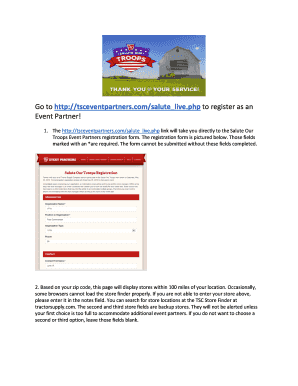
- Click ‘Get Form’ button to access the registration form and open it in your preferred online platform.
- Fill out the required fields marked with an asterisk (*). These fields must be completed to successfully submit your form.
- Enter your zip code. This will display stores within a 100-mile radius of your location. If the store finder does not work, you can manually note your preferred store in the designated field.
- Utilize the second and third store fields for backup options if you choose. Only if your first choice is too full, will these be alerted.
- After you have selected your preferred store(s), review your entries for accuracy and completeness before submitting the form.
- Upon submission, a Thank You screen will confirm that your registration is complete. You should also receive an email confirmation shortly.
- If you do not receive a response from the store within 2-3 business days, use the contact information provided in the confirmation email to follow up.
Begin your registration process online today!
Event Partner Role The key tasks are date and site selection, budget development, volunteer recruiting and management, volunteer training, team communication, event execution, uploading event results, and follow-up.