Loading
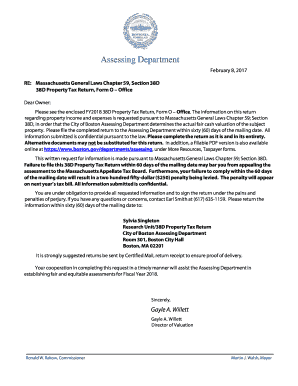
Get Assessing Department - Boston.gov
How it works
-

Open form follow the instructions
-

Easily sign the form with your finger
-

Send filled & signed form or save
How to fill out the Assessing Department - Boston.gov online
Filling out the Assessing Department - Boston.gov form is a crucial step in providing the necessary information for property valuation. Following this guide will help ensure that you complete the form accurately and efficiently.
Follow the steps to successfully fill out the form online.
- Press the ‘Get Form’ button to access the 38D Property Tax Return form and open it in the designated editor.
- Begin by providing your property and contact information in Section A. This includes your building name, parcel ID number, property location, owner name, and contact details.
- In Section B, affirm the accuracy of your information by signing the affidavit. Ensure that all signatures and printed names of the owner and preparer are included.
- For Section 1, Recent Transaction Data, input all relevant lease information for transactions occurring from January 1, 2016, through the first quarter of 2017.
- In Section 2, Additional Sources of Income, provide details regarding any additional income generated by the property, including parking and other miscellaneous income.
- Navigate to Section 3, Rentable Area, and complete the necessary data regarding the rentable area as of January 1, 2017, including floor levels and use of space.
- In Section 4, Operating Expenses, detail your property’s administrative, cleaning, repairs and maintenance, utilities, leasing expenses, and fixed expenses for the year ending December 31, 2016.
- Section 5 requests information on capital improvements or extraordinary expenditures undertaken in 2016. Provide all relevant project details.
- For Section 6, describe any sales transactions occurring between January 1, 2015, and the first quarter of 2017, including mortgage details and sale information.
- Finally, utilize Sections 7 and 8 to include any additional information or issues that might impact the fair cash value of the property.
- Upon completion, make sure to save your changes. You may then download, print, or share the completed form as needed.
Complete the Assessing Department form online today to ensure timely and accurate submission.
Massachusetts laws Includes clauses for real estate tax exemptions for blind persons, qualifying senior citizens, qualifying surviving spouses, minor children and elderly persons, qualifying veterans, and religious and charitable organizations.