Loading
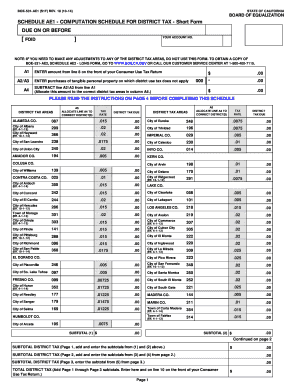
Get Boe-531-ae1 (s1f) Rev
How it works
-

Open form follow the instructions
-

Easily sign the form with your finger
-

Send filled & signed form or save
How to use or fill out the BOE-531-AE1 (S1F) REV online
Filling out the BOE-531-AE1 (S1F) REV online can seem daunting, but this guide will help you navigate each section with ease. Whether you're a first-time filer or just need a refresher, these steps will ensure a smooth process.
Follow the steps to complete the form accurately.
- Use the ‘Get Form’ button to access the form and open it in your preferred document editor.
- In the first field, enter the amount from line 8 on your Consumer Use Tax Return. Ensure that you include two decimal places for cents.
- Next, input your purchases of tangible personal property where district use tax does not apply in the designated area. This amount should be subtracted from the first amount.
- From the resulting amount, allocate it to the correct district tax areas listed in column A5. Be sure to check which district applies based on your location.
- Continue through the form, entering the appropriate tax rates and calculating the district tax due for each area as specified.
- After completing all sections, review the form thoroughly for accuracy. Make any necessary adjustments to ensure all information is correct.
- Finally, you can save your changes, download, print, or share the completed form as needed.
Complete your documents online today for a hassle-free experience.
19 would narrow California's property tax inheritance loophole, which offers Californians who inherit certain properties a significant tax break by allowing them to pay property taxes based on the property's value when it was originally purchased rather than its value upon inheritance.