Loading
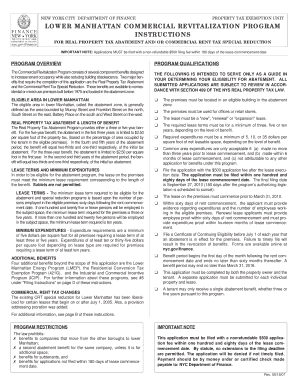
Get Lower Manhattan Commercial Revitalization Program Application. Adobe Pdf Commercial Property Tax
How it works
-

Open form follow the instructions
-

Easily sign the form with your finger
-

Send filled & signed form or save
How to fill out the Lower Manhattan Commercial Revitalization Program Application. Adobe PDF Commercial Property Tax online
This guide provides a step-by-step approach to completing the Lower Manhattan Commercial Revitalization Program Application, essential for accessing key tax benefits. By following these instructions, users can navigate the process smoothly and effectively.
Follow the steps to successfully complete your application
- Click ‘Get Form’ button to obtain the application form and open it in your preferred editor.
- Complete Section I - Site Information. Provide the full address of the premises, including the borough, block, and lot number. Indicate the floor and room number, and describe the proposed use of the space.
- In Section II - Owner and Tenant Information, enter the owner’s and tenant's details, including complete names, addresses, and contact information. Specify whether a representative is designated to submit the application.
- Proceed to Section III - Lease Information. For Section III-A, provide information about the lease, including execution and commencement dates, the number of expected employees, and tenant's percentage share.
- In Section III-B, indicate the lease type by checking the appropriate box for new, renewal, or expansion. Ensure proper understanding of the definitions related to each lease type.
- If applicable, complete Section III-C for New Lease Information or Section III-D for Renewal Lease Information. Provide the necessary financial details, including expenditures and area of leased space.
- Complete Section IV - Lease Abstract Information. This section requires details directly from the executed lease for verification.
- Finalize your application by signing and dating the affidavit as required. Both owner and tenant (or their representatives) must provide their signatures.
- File your completed application by mailing or submitting it in person to the NYC Department of Finance along with the required non-refundable fee.
- Once submitted, you can save changes, print, or share the form for your records.
Complete your application online today to take advantage of the benefits available!
How do I claim the credit? Complete Form NYC-208, Claim for New York City Enhanced Real Property Tax Credit for Homeowners and Renters, and submit it with your New York State personal income tax return, Form IT-201.
Industry-leading security and compliance
US Legal Forms protects your data by complying with industry-specific security standards.
-
In businnes since 199725+ years providing professional legal documents.
-
Accredited businessGuarantees that a business meets BBB accreditation standards in the US and Canada.
-
Secured by BraintreeValidated Level 1 PCI DSS compliant payment gateway that accepts most major credit and debit card brands from across the globe.