Loading
Get 4.2 Sett Ec Worksheet - Teachingei
How it works
-

Open form follow the instructions
-

Easily sign the form with your finger
-

Send filled & signed form or save
How to use or fill out the 4.2 SETT EC Worksheet - Teachingei online
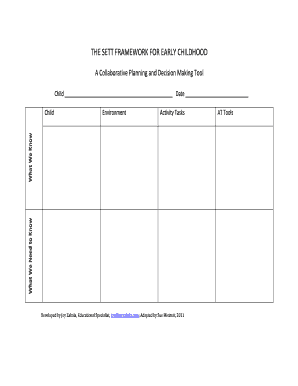
Filling out the 4.2 SETT EC Worksheet - Teachingei can be an essential process for collaborative planning and decision-making in early childhood education. This guide provides clear and detailed instructions to help you complete the form effectively and efficiently.
Follow the steps to correctly fill out the worksheet.
- Use the ‘Get Form’ button to access the 4.2 SETT EC Worksheet - Teachingei and open it for editing.
- Begin by entering the child's full name in the designated field at the top of the form. Make sure to provide accurate information as this identifies the individual the worksheet pertains to.
- Next, indicate the date of completion in the provided space. This date is important for record-keeping and tracking the progress of the planning process.
- Proceed to fill in the 'Environment' section. Describe the learning environment in which the child is situated to provide context for the planning and decision-making process.
- Move on to the 'Activity Tasks' section. List specific activities the child is engaged in, which helps in understanding their participation and needs.
- In the 'AT Tools' field, detail any assistive technology tools that the child may be using. This information can help in tailoring support for the child's learning.
- Review all the information entered to ensure accuracy and completeness. Make any necessary adjustments before finalizing the document.
- Once all sections are complete and reviewed, save changes to the document. You can now choose to download, print, or share the worksheet as needed.
Complete your documents online with confidence and accuracy.