Loading
Get Ca Pptc 140a 2003-2026
How it works
-

Open form follow the instructions
-

Easily sign the form with your finger
-

Send filled & signed form or save
How to fill out the CA PPTC 140A online
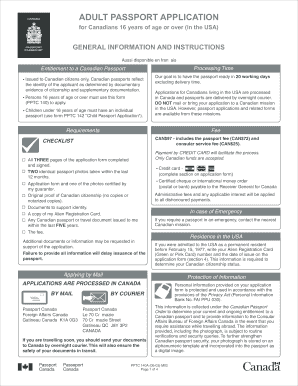
This guide provides clear and supportive instructions for filling out the CA PPTC 140A form online, which is necessary for Canadians aged 16 years and over applying for an adult passport. Follow the steps outlined below to ensure a smooth application process.
Follow the steps to successfully complete your application.
- Press the ‘Get Form’ button to download and access the CA PPTC 140A form in the online editor.
- Begin by entering your personal information in the designated fields. This includes your surname, given names, and any former surnames. Ensure that the name provided matches the documentation of citizenship you will submit.
- Fill in your date and place of birth. If you wish to keep your place of birth confidential, include a written request.
- Provide your gender, height, weight, eye color, and hair color in the corresponding sections. This information will help in identifying you.
- Input your permanent address and mailing address if different. Include your contact numbers for further communication.
- Complete the declaration section by affirming the truthfulness of the information provided. This signature must appear on all pages of the application.
- Fill out the 'Declaration of Guarantor' if applicable. Ensure that your guarantor meets the eligibility criteria and has known you for at least two years.
- If applicable, enclose any previous Canadian passports or travel documents issued in the last five years. Indicate whether you want the passport returned.
- Attach proof of Canadian citizenship by submitting an original birth certificate or certificate of citizenship. Copies or notarized versions are not accepted.
- Provide documents to support your identity. Ensure that at least one form of identification is attached and has been signed by your guarantor.
- Complete and upload your passport photos as per the specifications outlined on the form, ensuring they meet the required criteria.
- Finally, review all sections, save your completed application, and proceed to download or print your application for submission.
Complete your passport application online today for a hassle-free process.
Related links form
To safely mail your passport application, use a trackable courier service. This choice allows you to confirm when the application arrives at its destination. Additionally, pack your documents securely in an envelope to prevent damage. By carefully following the instructions for the CA PPTC 140A, you add an extra layer of security to your mailing process.