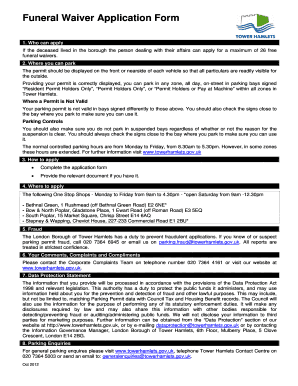
Funeral Waiver Application Form 1. Who can apply If the deceased lived in the borough the person dealing with their affairs can apply for a maximum of 26 free funeral waivers. 2. Where you can park The.
Open form follow the instructions
Easily sign the form with your finger
Send filled & signed form or save
How to fill out the Funeral Waiver Application Form - Towerhamlets.gov.uk online
The Funeral Waiver Application Form is an important document for individuals managing the affairs of a deceased person who lived in the borough. This guide will provide you with clear, step-by-step instructions to successfully complete the form online.
Follow the steps to complete the Funeral Waiver Application Form online.
- Click ‘Get Form’ button to access the application form and open it in your editor.
- In the 'Deceased Details' section, fill out the title, first name, middle name, last name, date of birth, home address, and postcode of the deceased. Ensure all information is accurate and complete.
- Proceed to the 'Applicant’s Details' section. Enter your first name, last name, and your relationship to the deceased, along with a contact number.
- For proof of eligibility, tick the relevant boxes indicating whether you possess the death certificate and the proof of the deceased's name and address. Additionally, specify the number of funeral waivers you require, which can be a maximum of 26.
- Enter the date of the funeral in the designated fields, ensuring the month and year are also accurately filled.
- In the 'Applicant’s Declaration' section, read the declaration statement carefully, then provide your signature and the date to confirm that the information is true and that you understand the terms outlined.
- After completing all sections of the form, review your inputs for accuracy. Once confirmed, you can save changes, download, print, or share the completed form as needed.
Complete your Funeral Waiver Application Form online today for efficient processing.
Experience a faster way to fill out and sign forms on the web. Access the most extensive library of templates available.
Related content
Published online 2020 Aug 13. doi: 10.12688/wellcomeopenres.16129.1 ... Bradford District...
There are 575,000 of us in the UK studying for a ... >Writing the application- ... a form...
Get answers to your most pressing questions about US Legal Forms API.
How do I cancel my Tower Hamlets parking permit?
If you have a virtual permit, you need to log in to your parking account. In the Permit section click on 'View' and then click on the tab 'Cancel Permit'. Any refund due will be calculated from the date we receive your request. We will refund the card used to pay for the permit.
What is the phone number for Tower Hamlet permits?
For most queries, please call us on 020 7364 5000. Our lines are open 9am to 5pm from Monday to Friday. When calling 020 7364 5000 say the name of the person, team or department you wish to speak to.
How do I cancel my parking permit in Newcastle?
What do I do if I no longer need my permit? If you move house or your situation changes and you no longer need the permit, the permit should be returned to Newcastle Parking Services, P.O. Box 2BL, Newcastle-upon-Tyne, NE99 2BL by recorded delivery/Royal Mail signed for. This provides proof of posting and receipt.
How do I change my parking permit in Tower Hamlets?
Answer: If you require a change of vehicle for your permit, you no longer need to cancel your permit. You can log into your parking account and submit a request for a change of vehicle. On your Account Summary screen, click on the 'View' button next to the permit you wish to change.
Can I get a refund on my parking permit Ealing?
We will work out the refund amount based on the number of full months left on the permit. There is a £16 admin fee. We will not give you a refund if it is less than the admin fee. Your refund is worked out from the date we get your request to cancel the permit.
How do I contact Tower Hamlets parking fines?
If you've lost your Notice, call our Contact Centre on 020 7364 5000 and we'll give you your webcode.
How do I cancel my LBBD permit?
Cancel your permit If you cancel online your permit will become inactive at the end of the day after which the vehicle will no longer be covered to park. You can also cancel by sending an email to parking.permits@lbbd.gov.uk, you will then be sent a confirmation of when the permit has been cancelled.
Use professional pre-built templates to fill in and sign documents online faster. Get access to thousands of forms.
If you believe that this page should be taken down, please follow our DMCA take down process here.