Loading
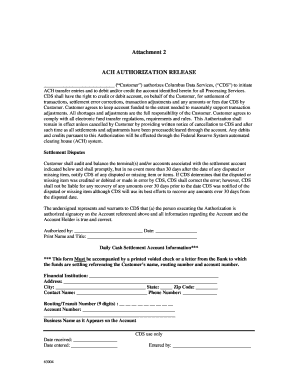
Get Cds Ach Authorization Form - All Ohio Atm
How it works
-

Open form follow the instructions
-

Easily sign the form with your finger
-

Send filled & signed form or save
How to fill out the CDS ACH Authorization Form - All Ohio ATM online
Filling out the CDS ACH Authorization Form is an essential step for individuals or businesses looking to authorize electronic transfers through Columbus Data Services. This guide provides a clear and supportive approach to successfully completing the form online.
Follow the steps to complete the form accurately.
- Click 'Get Form' button to obtain the form and open it in your chosen editor.
- Begin by entering your name or the name of your organization in the 'Customer' field.
- In the next section, indicate the financial institution where your account is held, including the institution's name, address, city, state, and zip code.
- Provide a contact name and phone number for your financial institution, which will be used for any necessary follow-up.
- Enter the routing/transit number, which is a 9-digit number that identifies your bank.
- Fill in your account number, ensuring that it is accurate to avoid any transaction issues.
- Specify the business name exactly as it appears on your account.
- Sign and date the form in the designated fields, ensuring that you are an authorized signatory for the account.
- Review the completed form for accuracy and completeness.
- Submit your completed form as instructed, making sure to attach a printed voided check or a letter from your bank confirming your account details.
- After submission, ensure to keep a copy for your records, and monitor your account for any transactions initiated by CDS.
Complete your documents online now to streamline your ACH authorization process.