Loading
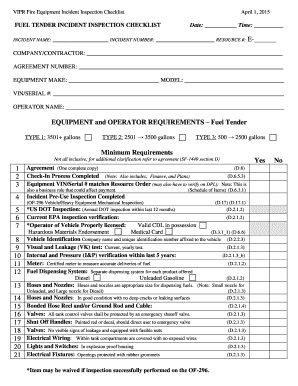
Get Vipr Fire Equipment Incident Inspection Checklist - Fs Fed
How it works
-

Open form follow the instructions
-

Easily sign the form with your finger
-

Send filled & signed form or save
How to fill out the VIPR Fire Equipment Incident Inspection Checklist - Fs Fed online
This guide provides clear, step-by-step instructions on how to effectively fill out the VIPR Fire Equipment Incident Inspection Checklist - Fs Fed online. Follow these comprehensive directions to ensure that all necessary information is accurately documented.
Follow the steps to complete the checklist successfully.
- Click ‘Get Form’ button to obtain the form and open it in the editor.
- Begin by entering the incident name, date, and time at the top of the form. This information will help identify the inspection details.
- Fill in the incident number and resource number under the incident identification section.
- Complete the company or contractor information by providing the name and agreement number. This ensures accurate association with the inspection.
- Document the equipment make, model, and VIN/serial number to verify the vehicle details.
- Next, enter the operator's name, which identifies the individual responsible for the equipment during the inspection.
- Review the equipment and operator requirements listed on the form and assess compliance, marking 'Yes' or 'No' for each requirement.
- For any applicable equipment, confirm that inspections and verifications (e.g., DOT, EPA) have been completed, and fill in the results.
- Provide details about the fuel dispensing system and all necessary safety equipment, ensuring all specifications meet the agreement requirements.
- Use the remarks section to note any deficiencies or comments regarding the inspection process.
- Finally, both the inspector and contractor must print their names, sign, and date the form to validate the inspection's completion.
- After finishing, you can save changes, download, print, or share the form as needed.
Complete the VIPR Fire Equipment Incident Inspection Checklist online today for efficient and accurate documentation.
Virtual Incident Procurement (VIPR) is a web-based Forest Service application designed to administer preseason Incident Blanket Purchase Agreements (I-BPAs - formerly referred to as Emergency Equipment Rental Agreements or EERAs).
Industry-leading security and compliance
US Legal Forms protects your data by complying with industry-specific security standards.
-
In businnes since 199725+ years providing professional legal documents.
-
Accredited businessGuarantees that a business meets BBB accreditation standards in the US and Canada.
-
Secured by BraintreeValidated Level 1 PCI DSS compliant payment gateway that accepts most major credit and debit card brands from across the globe.