Loading
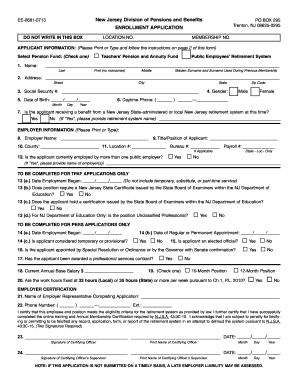
Get Ee-0681-0713 New Jersey Division Of Pensions And Benefits ...
How it works
-

Open form follow the instructions
-

Easily sign the form with your finger
-

Send filled & signed form or save
How to fill out the EE-0681-0713 New Jersey Division Of Pensions And Benefits application online
This guide provides a clear and supportive approach to completing the EE-0681-0713 enrollment application with the New Jersey Division of Pensions and Benefits online. By following the steps outlined here, you can ensure all information is submitted accurately and efficiently.
Follow the steps to successfully complete your application online.
- Click the ‘Get Form’ button to access the EE-0681-0713 form and open it in the editor.
- Begin by entering the applicant's full name in the designated fields, ensuring you include the last name, first name, and middle initial without nicknames.
- Provide the applicant's current mailing address in the appropriate sections, including street, city, state, and zip code.
- Input the applicant's Social Security number in the specified field.
- Enter the applicant's date of birth formatted as month/day/year.
- Select the applicant's gender by marking the appropriate option.
- Include the applicant's daytime phone number, ensuring to include the area code.
- Indicate whether the applicant is currently receiving benefits from any New Jersey State-administered retirement system by selecting the corresponding options.
- For employer information, input the full name of the employer and the county in which the employer is located.
- Enter the title or position of the applicant with the employer.
- Complete sections regarding location, bureau, and payroll numbers if applicable.
- If the applicant is employed by more than one public employer, indicate this by selecting 'Yes' and listing the names of the other employers.
- For TPAF applications, enter the date of employment commenced, ensuring to exclude temporary, substitute, or part-time roles.
- Answer specific questions regarding required certifications and employment conditions as prompted for TPAF and PERS applicants.
- Provide the required employer certifications, including names and signatures of certifying officers and their supervisors with dates.
- Finally, review the completed form thoroughly for accuracy, then save changes, download, print, or share the form as necessary.
Complete your enrollment application online to ensure timely processing and access to your retirement benefits.
At the end of each calendar year, every pension recipient receives a Form 1099-R from the New Jersey Division of Pensions & Benefits (NJDPB). The Form 1099-R shows the retirement allowance received in the previous calendar year along with other information of use when filing federal or State income tax.
Industry-leading security and compliance
US Legal Forms protects your data by complying with industry-specific security standards.
-
In businnes since 199725+ years providing professional legal documents.
-
Accredited businessGuarantees that a business meets BBB accreditation standards in the US and Canada.
-
Secured by BraintreeValidated Level 1 PCI DSS compliant payment gateway that accepts most major credit and debit card brands from across the globe.