Loading
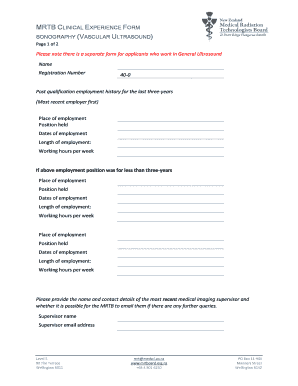
Get Mrtb Clinical Experience Form
How it works
-

Open form follow the instructions
-

Easily sign the form with your finger
-

Send filled & signed form or save
How to fill out the Mrtb Clinical Experience Form online
Completing the Mrtb Clinical Experience Form is a crucial step for users seeking to document their clinical experience in sonography, specifically in vascular ultrasound. This guide provides detailed, step-by-step instructions to assist users in accurately filling out the form online.
Follow the steps to successfully complete your Mrtb Clinical Experience Form.
- Press the ‘Get Form’ button to access the Mrtb Clinical Experience Form and open it in your chosen digital editor.
- Begin by entering your name and registration number at the top of the form. Ensure that this information is accurate and reflects your official registration details.
- Provide your post-qualification employment history for the last three years, starting with your most recent employer. Record the place of employment, position held, dates of employment, length of employment, and working hours per week.
- If your most recent position was less than three years, provide details of the prior employment in the same format as in step three including place of employment, position held, dates of employment, length of employment, and working hours per week.
- List any additional places of employment by filling in the same details as above, as needed. Make sure to complete a separate section for each place of employment.
- Enter the name and contact details of your most recent medical imaging supervisor. Indicate whether it is permissible for the MRTB to contact them via email for further queries.
- In the section regarding ultrasound examinations performed during your employment, circle the appropriate response for each type of examination you completed or mark N/A if not applicable. Ensure you are honest in your self-assessment.
- Review all provided information for accuracy and completeness. Make any necessary corrections before finalizing the document.
- Once you have filled out all sections accurately, save your changes. You can then choose to download, print, or share the completed Mrtb Clinical Experience Form as needed.
Start filling out the Mrtb Clinical Experience Form online to document your valuable clinical experience today.
Industry-leading security and compliance
US Legal Forms protects your data by complying with industry-specific security standards.
-
In businnes since 199725+ years providing professional legal documents.
-
Accredited businessGuarantees that a business meets BBB accreditation standards in the US and Canada.
-
Secured by BraintreeValidated Level 1 PCI DSS compliant payment gateway that accepts most major credit and debit card brands from across the globe.