Loading
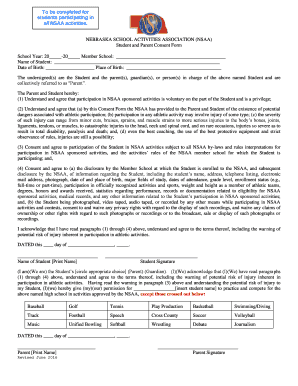
Get Nsaa Student & Parent Consent Form - Nsaahome
How it works
-

Open form follow the instructions
-

Easily sign the form with your finger
-

Send filled & signed form or save
How to fill out the NSAA Student & Parent Consent Form - Nsaahome online
This guide provides comprehensive instructions for successfully filling out the NSAA Student & Parent Consent Form online. Whether you are a student or a parent, this step-by-step approach will help you navigate each section of the form with confidence.
Follow the steps to complete the consent form with ease.
- Press the ‘Get Form’ button to access the NSAA Student & Parent Consent Form and open it in your editor.
- Fill in the school year by entering the appropriate dates (20_____-20_____) in the designated field.
- Enter your member school's name in the provided space to indicate the school your child will be representing.
- In the section for the student's name, clearly print the full name of the student participating in NSAA activities.
- Provide the date of birth for the student in the specified field, along with the place of birth.
- Review the consent section thoroughly. Understand and agree to the participation terms and potential risks by reading through each point listed under parentheses (1)-(4).
- Confirm your understanding by providing the date at the bottom, where indicated, and print the student’s name and signature in the designated areas.
- Identify and circle the appropriate option for the student's parental status (Parent/Guardian) and provide signatures along with printed names.
- Indicate which activities the student has permission to participate in by marking the activities, except those you want to cross out.
- Once all fields are completed and reviewed, save changes to the form. You can then download, print, or share it as necessary.
Complete the NSAA Student & Parent Consent Form online today to ensure your participation in NSAA activities!
These awards recognize individuals for their extraordinary contributions, dedication, and service to the NSAA, NSAA activities, and NSAA member schools.