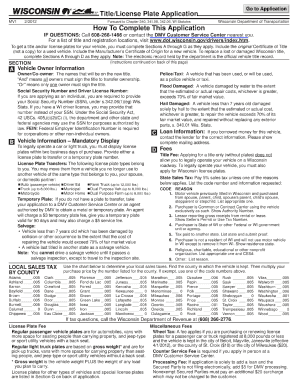
Get Wi Mv1 2012
How it works
-

Open form follow the instructions
-

Easily sign the form with your finger
-

Send filled & signed form or save
How to fill out the WI MV1 online
Filling out the WI MV1 form online is a straightforward process that helps you efficiently manage your vehicle registration or title applications. This guide provides step-by-step instructions to ensure that you complete the form accurately.
Follow the steps to fill out the WI MV1 form correctly.
- Click ‘Get Form’ button to obtain the form and open it in the editor.
- Begin by entering your personal information in the designated fields. This typically includes your name, address, and contact information. Ensure that all details are spelled correctly and match your identification documents.
- Next, locate the section where you can provide vehicle information. Here, you will need to input the vehicle identification number (VIN), make, model, year, and color of the vehicle. This is crucial for proper identification of the vehicle.
- Proceed to any additional fields requiring information about previous registrations or titles. If applicable, you may need to provide previous title numbers or related documents.
- Review all the information you have entered to ensure it is accurate and complete. Double-check for any potential errors or omissions.
- When you are satisfied with the information provided, look for the options to save your changes. You may have the option to download the completed form, print it, or share it as needed.
Complete your documents online today to streamline your registration process.
Get form
In Wisconsin, the MV1 form is crucial for vehicle registration and title. Whether you’re registering a new vehicle or updating an existing one, completing the WI MV1 form streamlines the process. It gathers necessary information like ownership and vehicle details, ensuring you comply with state law. To simplify this process, consider using platforms like uslegalforms that provide user-friendly access to the required documentation.