Loading
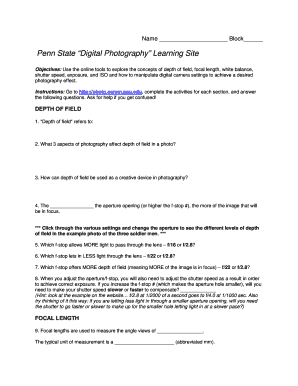
Get Penn State Digital Photography Learning Site
How it works
-

Open form follow the instructions
-

Easily sign the form with your finger
-

Send filled & signed form or save
How to fill out the Penn State Digital Photography Learning Site online
This guide provides a comprehensive overview of how to complete the Penn State Digital Photography Learning Site form online. By following the steps outlined below, users can successfully navigate the form to enhance their understanding of photography concepts.
Follow the steps to effectively complete the form online.
- Press the ‘Get Form’ button to access the form and open it in your editor.
- Begin with the 'Depth of Field' section. Answer the questions regarding depth of field by exploring the provided online tools and conducting experiments with different aperture settings.
- Proceed to the 'Focal Length' section. Measure angle views and identify the types of focal lengths as mentioned in the instructions. Utilize the online settings to see real-time changes.
- In the 'White Balance' section, analyze how different light sources affect the photo quality, and respond to the associated questions.
- Move on to the 'Shutter Speed' section. Experiment with various settings and answer the questions based on your findings.
- Complete the 'Exposure' section by describing the exposure settings of the sample photos provided online.
- Conclude with the 'ISO' section. Assess how ISO settings impact light exposure and quality in photos.
- Once all sections are completed, review your responses. You can then save changes, download, print, or share the form as needed.
Start filling out the document online today to enhance your photography skills!
The minor is intended for students in any major who have a need or desire to acquire professional photographic skills and knowledge. The minor includes two prescribed classes, PHOTO 303 and PHOTO 404. These two courses focus students on client-based commercially oriented photographic skills and knowledge.