Loading
Get April Crossword Puzzle
How it works
-

Open form follow the instructions
-

Easily sign the form with your finger
-

Send filled & signed form or save
How to fill out the April Crossword Puzzle online
This guide provides clear instructions for users looking to fill out the April Crossword Puzzle online. Whether you are familiar with crossword puzzles or trying one for the first time, following these steps will help ensure a smooth experience.
Follow the steps to successfully complete the April Crossword Puzzle online.
- Press the ‘Get Form’ button to retrieve the document and open it in your editor.
- Locate the section for personal details at the top of the crossword puzzle. Enter your name in the designated space provided.
- Next, fill in the date section next to your name. This should reflect the current date or the date you are completing the puzzle.
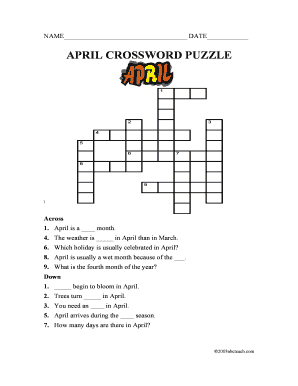
- Begin filling out the crossword puzzle by referencing the clues under 'Across' and 'Down.' For each clue, determine the correct answer and write it in the corresponding boxes.
- Complete all the clues until the entire crossword is filled out. Ensure that all letters match correctly with the intersecting words.
- After finishing the crossword, review your answers to confirm accuracy and ensure that each word is spelled correctly.
- Once you are satisfied with your completed crossword puzzle, you can choose to save your changes, download the completed form, print it out for physical reference, or share it with others as needed.
Start filling out your April Crossword Puzzle online today!
To play tiles, visit nytimes.com/puzzles/tiles. You can play Tiles with or without a subscription, for a fixed amount of plays each day. The tile set used to generate the game rotates each day.