Loading
Get Short Term Rental Property Management Agreement
How it works
-

Open form follow the instructions
-

Easily sign the form with your finger
-

Send filled & signed form or save
How to fill out the SHORT TERM RENTAL PROPERTY MANAGEMENT AGREEMENT online
Filling out the Short Term Rental Property Management Agreement online can streamline the process of managing your rental property effectively. This guide will walk you through each section and field of the agreement, ensuring you provide all necessary information accurately and confidently.
Follow the steps to complete your agreement online.
- Click ‘Get Form’ button to obtain the form and open it in an online editor.
- Fill in the date at the top of the form to indicate when the agreement is being made.
- Complete the OWNER section by entering your name or the name of the property owner. This establishes the party entering into the agreement.
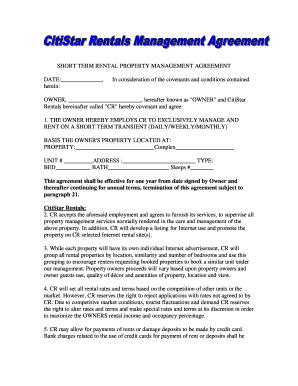
- In the property section, provide the details of the property to be managed, including the complex name, unit number, address, type, number of bedrooms and bathrooms, and the property’s maximum occupancy.
- Review the terms of the contract, specifically the management services offered by CitiStar Rentals, ensuring you understand the responsibilities and expectations.
- In the management fees section, confirm and mark the fee structure that will apply to your rental property management, including the percentage of rental income that will be deducted.
- Sign the document electronically or print it out and sign it manually as required. Ensure all owners listed sign the agreement where indicated.
- Save your changes and choose to download, print, or share the agreement as needed to maintain a copy for your records.
Complete your SHORT TERM RENTAL PROPERTY MANAGEMENT AGREEMENT online today to start maximizing your rental property's potential.
What is a PMS? A PMS or property management system is a piece of software that allows short-term rental hosts to efficiently manage the day-to-day operations of their business.