Loading
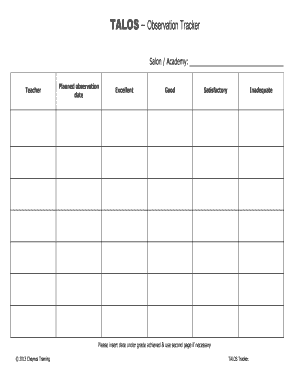
Get Talos Observation Tracker - Cheynes Training
How it works
-

Open form follow the instructions
-

Easily sign the form with your finger
-

Send filled & signed form or save
How to fill out the TALOS Observation Tracker - Cheynes Training online
The TALOS Observation Tracker is an essential tool for tracking and documenting observations in educational and training settings. This guide will help you navigate the process of filling out the form online with ease and clarity.
Follow the steps to successfully complete the TALOS Observation Tracker.
- Press the ‘Get Form’ button to access the observation tracker form and open it in your online editor.
- In the ‘Salon / Academy’ field, enter the name of the salon or academy where the observation will take place. Make sure to provide the full name as it appears officially.
- Locate the section for ‘Planned observation date’. Insert the date when the observation is scheduled. This will help keep the documentation organized.
- Next, evaluate the observation using the provided grading scale: Excellent, Good, Satisfactory, or Inadequate. Choose the appropriate grade by marking it clearly.
- After grading, if you need additional space for observations, continue your notes on the second page of the form. Use this space to provide any further details that support your grading.
- Once you have filled out all necessary sections and made any additional notes, proceed to save your changes. You can download, print, or share the completed form as needed.
Complete your forms online today for a streamlined experience!
Industry-leading security and compliance
US Legal Forms protects your data by complying with industry-specific security standards.
-
In businnes since 199725+ years providing professional legal documents.
-
Accredited businessGuarantees that a business meets BBB accreditation standards in the US and Canada.
-
Secured by BraintreeValidated Level 1 PCI DSS compliant payment gateway that accepts most major credit and debit card brands from across the globe.