Loading
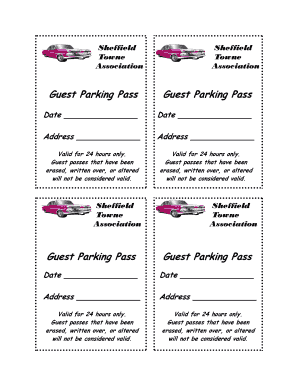
Get Guest Parking Pass Guest Parking Pass Guest ... - Sheffield Towne!
How it works
-

Open form follow the instructions
-

Easily sign the form with your finger
-

Send filled & signed form or save
How to fill out the Guest Parking Pass Guest Parking Pass Guest ... - Sheffield Towne! online
Filling out the Guest Parking Pass form for Sheffield Towne is a straightforward process designed to ensure your guests can park comfortably and legally. This guide provides step-by-step instructions to help you complete the form efficiently and accurately.
Follow the steps to complete your Guest Parking Pass online.
- Press the ‘Get Form’ button to access the Guest Parking Pass form and open it in your editor.
- Locate the ‘Date’ field. Enter the date you are filling out the pass. This section is important as it establishes the validity period for your guest's parking privileges.
- Find the ‘Address’ field. Input the address related to the guest pass. Ensure you provide a complete address to avoid any parking issues.
- Review the terms regarding validity. Note that the pass is valid for 24 hours only. Ensure the form is not erased, written over, or altered in any way to maintain its validity.
- Once all required information is complete and verified, you can choose to save your changes, download the form for printing, or share it directly as needed.
Get started on filling out your Guest Parking Pass online today!
Industry-leading security and compliance
US Legal Forms protects your data by complying with industry-specific security standards.
-
In businnes since 199725+ years providing professional legal documents.
-
Accredited businessGuarantees that a business meets BBB accreditation standards in the US and Canada.
-
Secured by BraintreeValidated Level 1 PCI DSS compliant payment gateway that accepts most major credit and debit card brands from across the globe.