Get Ca Si-550 Nc 2017
How it works
-

Open form follow the instructions
-

Easily sign the form with your finger
-

Send filled & signed form or save
How to fill out the CA SI-550 NC online
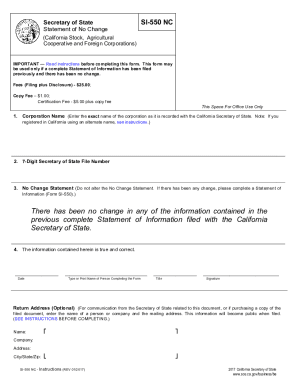
Filling out the Statement of No Change (Form SI-550 NC) is an important task for California corporations that need to confirm the absence of changes in their reported information. This guide will provide a comprehensive overview of the process for completing this form online, ensuring that users of all experience levels can navigate it with ease.
Follow the steps to complete the CA SI-550 NC online.
- Click the ‘Get Form’ button to obtain the document and open it in the online editor.
- Enter the name of your corporation exactly as it appears in the records of the California Secretary of State, including any entity ending (e.g., 'Jones & Company, Inc.').
- Input the 7-digit file number that was issued at the time of registration by the California Secretary of State.
- Ensure the No Change Statement remains unaltered. If any information has changed since the last complete Statement of Information filed, you must complete a new Statement of Information (Form SI-550).
- Optionally, enter a return address to facilitate communication regarding this document. Remember, this information will be public once filed.
- Review all entered information for accuracy before finalizing the submission.
- Once completed, you can save changes, download, print, or share the form as needed.
Complete your documents online to ensure timely and accurate submissions.
Get form
Related links form
To file a Secretary of State Statement of Information, visit the California Secretary of State's website to access the necessary form. You'll need to provide essential details about your business, including your corporate address, registered agent, and officer information. After completing the form, submit it online or by mail to ensure your business remains registered in good standing.