Loading
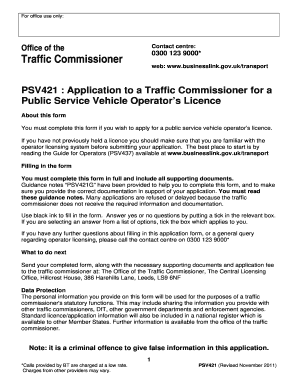
Get Uk Psv421 2011-2026
How it works
-

Open form follow the instructions
-

Easily sign the form with your finger
-

Send filled & signed form or save
How to fill out the UK PSV421 online
This guide provides expert instructions for users wishing to complete the UK PSV421 application for a public service vehicle operator's licence online. Follow the steps carefully to ensure your application is filled out accurately and efficiently.
Follow the steps to complete the UK PSV421 application form online.
- Use the ‘Get Form’ button to access the UK PSV421 form and open it in the online editor.
- Begin with Section 1, 'Your contact details'. Fill in all required fields, providing full contact information for the person who can be reached regarding your application.
- Proceed to Section 2, 'Your business'. Select one box to indicate your type of business, such as limited company, sole trader, or partnership.
- If applicable, complete Section 3 for Limited Companies or Limited Liability Partnerships, including providing the company's registered name and directors' details.
- Continue with Section 4 if you are a sole trader, providing your personal details and any trading names.
- In Section 5, list all partners for partnerships, providing personal details and any trading names.
- Complete Section 6 for any other types of organization, providing the organization's name and the details of responsible individuals.
- In Section 7, choose the type of licence you are applying for: Restricted or Standard National/International.
- Section 8 (if applicable) requires you to answer questions regarding the operation of certain vehicles. Provide details if you intend to operate vehicles with nine to sixteen passenger seats.
- For Standard Licence applicants, complete Section 9 by providing details of your qualified transport manager(s) and their credentials.
- In Section 10, enter information about your operating centres, ensuring you provide correct addresses and the number of vehicles parked at each location.
- Fill out Section 11 regarding the proposed safety inspections for your vehicles, including details of inspection frequency and who will conduct them.
- In Section 12, confirm your financial standing by checking the relevant boxes and providing necessary documentation.
- Provide details of any previous licences or insolvency in Section 13. Ensure honesty in your declarations.
- In Section 14, disclose any convictions or penalties that might affect your application and provide necessary details.
- Section 15 asks for the number and categories of vehicles you plan to operate. Fill this out accurately.
- Review Section 16 for undertakings and declarations, confirming your acceptance of the terms by signing and dating the form.
- Lastly, fill out the payment details in Section 17, ensuring you include full and accurate information regarding your application fee.
- Utilize Section 18 to check that all required fields and documents are completed before submission.
- Once all sections are completed, you can save your changes, download, print, or share the form as needed before submission.
Complete your UK PSV421 application online today to ensure a smooth licensing process.
In the UK, the term 'Secretary of State' often refers to heads of specific government departments, such as the Secretary of State for Education. Each Secretary manages various aspects of public policy and government operations. For those looking into understanding legal documentation related to UK PSV421, knowing these roles is essential for compliance and collaboration.