Loading
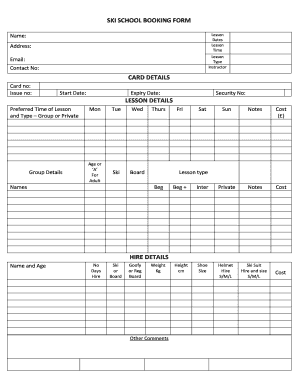
Get Ski School Booking Form - Glencoe Mountain
How it works
-

Open form follow the instructions
-

Easily sign the form with your finger
-

Send filled & signed form or save
How to fill out the SKI SCHOOL BOOKING FORM - GLENCOE MOUNTAIN online
Filling out the Ski School Booking Form for Glencoe Mountain is essential for organizing your ski lessons efficiently. This guide will walk you through each section of the form, ensuring that you provide all necessary information to secure your booking.
Follow the steps to complete your booking efficiently.
- Press the ‘Get Form’ button to access the Ski School Booking Form and open it in your selected editor.
- Input your name and address in the designated fields to ensure accurate identification and communication.
- Select your preferred lesson type (group or private) and provide details about your chosen instructor if applicable.
- Fill in your email address and contact number to facilitate communication regarding your booking.
- Enter your card details carefully, including card number, issue number, expiry date, and security number, to process any necessary payments.
- Indicate your preferred lesson time, noting the availability for each day of the week in the lesson details section.
- Specify whether you are participating as a beginner or at a more advanced level in the lesson type section.
- Complete the hire details for equipment, including preferences on ski or board, sizes, and any additional comments.
- After entering all information, review the form to confirm accuracy and completeness.
- Finally, save your changes, download, print, or share the completed form as needed for your records.
Take the next step towards an exciting skiing experience by completing your booking form online today!
Glencoe Mountain Resort Weather Later becoming colder with a dusting of snow on Sat morning. Very mild (max 50°F on Thu night, min 36°F on Sat morning).