Loading
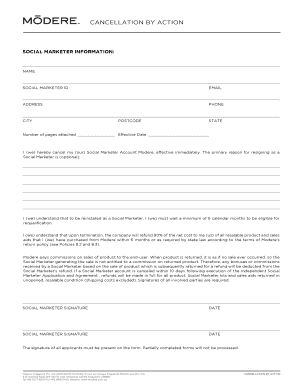
Get Cancellation By Action - Modere.com
How it works
-

Open form follow the instructions
-

Easily sign the form with your finger
-

Send filled & signed form or save
How to fill out the Cancellation By Action - Modere.com online
Completing the Cancellation By Action form is an essential step for individuals wishing to terminate their Modere Social Marketer account. This guide provides clear, step-by-step instructions to help you fill out the form accurately and efficiently.
Follow the steps to complete the cancellation process.
- Click ‘Get Form’ button to obtain the Cancellation By Action form and open it in your preferred document editor.
- Enter your social marketer information, including your name, social marketer ID, email address, and contact details such as phone number and address. Make sure to fill in your city, state, and postal code accurately.
- Indicate the 'Effective Date' of your cancellation. This date is important as it marks when your account will officially be considered canceled.
- In the designated field, you have the option to provide a primary reason for resigning as a social marketer. This step is optional, but providing a reason can be helpful for the company's understanding.
- Review the terms regarding fees, refunds, and commission deductions related to your account cancellation. It is important to understand the implications of returning products and the timeline for refunds.
- Sign the form where indicated. Both parties involved in the cancellation must provide their signatures along with the date to ensure the form is complete.
- After completing all sections, save the changes made to the form. You may then choose to download, print, or share the document as needed.
Take the first step in managing your Modere account by completing the Cancellation By Action form online.
In order to terminate your Social Marketer account, please submit a completed Cancellation by Action Form to support@modere.com. You can find the Cancellation by Action Form by logging into your back office, go to Tools - Documents and Media - Education & Compliance - Policy & Forms - Cancellation by Action Form.