Loading
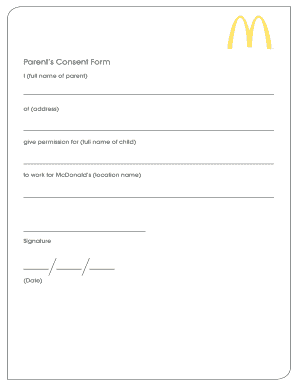
Get Mcdonald's Parent's Consent Form
How it works
-

Open form follow the instructions
-

Easily sign the form with your finger
-

Send filled & signed form or save
How to fill out the Mcdonald's Parent's Consent Form online
Filling out the Mcdonald's Parent's Consent Form online is a straightforward process that ensures your child can work at McDonald’s with your permission. This guide will assist you in completing each section of the form with clarity and confidence.
Follow the steps to complete the form accurately.
- Click ‘Get Form’ button to obtain the form and open it in the appropriate editor.
- In the first field, enter the full name of the parent or guardian providing consent.
- Next, fill in the address of the parent or guardian. Ensure that the address is complete and accurate.
- In the following section, input the full name of the child who will be working at McDonald's.
- Specify the location name of the McDonald’s where the child will be employed. It's important to ensure that the location is correctly identified.
- The parent or guardian must then provide their signature, indicating consent for the child to work.
- Finally, enter the date on which the consent is being given. Make sure to double-check all entered information for accuracy.
- Once all fields are completed, you can save changes, download, print, or share the form as necessary.
Complete your form online today to ensure a smooth application process for your child.
For example, let's say you want to take your students on a field trip. While they may be excited about the trip, you just can't take the children's word for it. This means that you must make sure their parents formally agree to their children's participation in this activity.