Loading
Get Coafg
How it works
-

Open form follow the instructions
-

Easily sign the form with your finger
-

Send filled & signed form or save
How to fill out the Coafg online
Filling out the Coafg online can streamline your document management process, ensuring accuracy and efficiency. This guide will walk you through each section of the form, providing clear instructions to help you complete it successfully.
Follow the steps to fill out the Coafg online.
- Click ‘Get Form’ button to obtain the form and open it in your preferred editor.
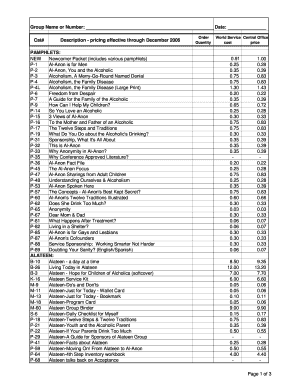
- In the first section, please provide your group name or number. This entry is essential for identifying your submission.
- Next, enter the date on which you are completing the form. This should be in the format of month, day, and year.
- Proceed to fill in the catalog number (Cat#) associated with your order. This helps in cataloging and processing your request accurately.
- In the description section, review the available pamphlets, books, and other materials. Select and write down the desired items along with their respective catalog numbers.
- Indicate the quantity of each item you wish to order in the designated field next to each description.
- Once all fields are completed, you can save the changes made to the form. You may also download, print, or share the form directly from your editor.
Begin filling out the Coafg online to streamline your documentation process today.