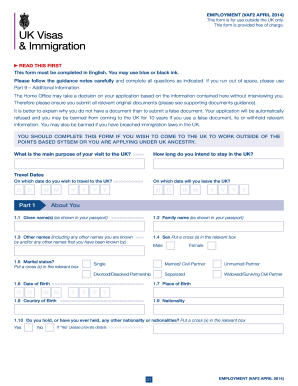
Get Uk Vaf2 (employment) 2014-2026
How it works
-

Open form follow the instructions
-

Easily sign the form with your finger
-

Send filled & signed form or save
How to fill out the UK VAF2 (Employment) online
Filling out the UK VAF2 (Employment) form online can seem daunting, but with clear guidance, you will be able to complete your application seamlessly. This guide will walk you through each section of the form to ensure all necessary information is accurately provided.
Follow the steps to successfully complete your application.
- Press the ‘Get Form’ button to retrieve the form and display it for completion.
- Begin by filling out Part 1, which requires your basic information including your name, date of birth, family name, and nationality. Ensure all names match those in your passport.
- In Part 2, provide your passport information including the passport number, place of issue, and expiry date. Be sure that this information is accurate to avoid delays.
- Part 3 asks for your contact details. Fill in your residential address, telephone numbers, and email address. If your contact details differ from your residential address, list them as well.
- In Part 4, you will need to provide family information, including details of your parents and any spouse or children. Ensure you include their names, dates of birth, and nationalities.
- Part 5 focuses on finances and employment. Indicate your employment status and provide details about your job, including the name of the company, your job title, and income details.
- In Part 6, disclose your travel history over the last 10 years. This includes any trips to the UK and whether you have ever been refused entry or visas.
- Complete Part 7 if you are under 18, providing details about your guardians and travel companions.
- In Part 8, provide details about your employment or ancestor's details for ancestry applications. Be clear about your job offer and qualifications.
- If applicable, use Part 9 to share additional information relevant to Overseas Domestic Workers.
- In Part 10, add any additional information that may support your application. If you need more space, use extra sheets.
- Finally, read and understand the declaration in Part 11. Sign and date the form, confirming that all information is true.
- Upon completion, review the form for accuracy and save your changes. You may then download, print, or share the completed document as needed.
Begin your online application today to ensure a smooth process for your entry into the UK.
To fill out an application form successfully, start with a quiet space to minimize distractions. Read through each section to understand what is required, and gather supporting documents before you start. As you complete the UK VAF2 (Employment) form, ensure that all entries are accurate and legible. If you encounter challenges, consider seeking help from UsLegalForms, which offers tools to assist individuals with their applications.