Loading
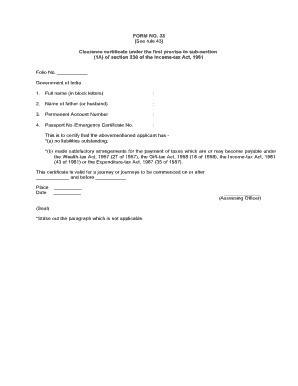
Get Form 33
How it works
-

Open form follow the instructions
-

Easily sign the form with your finger
-

Send filled & signed form or save
How to fill out the Form 33 online
Filling out Form 33 online is an essential step for obtaining a clearance certificate under the Income-tax Act, 1961. This guide provides clear and supportive instructions for users to successfully complete the form.
Follow the steps to fill out the Form 33 effortlessly
- Press the ‘Get Form’ button to access the form and open it in the editor.
- Enter your full name in block letters in the designated field, ensuring that the spelling is accurate.
- Provide the name of your father or partner in the next field, depending on your family structure.
- Input your Permanent Account Number (PAN) in the corresponding section, as this is a crucial piece of information.
- Complete the field for Passport Number or Emergency Certificate Number as applicable, ensuring all details are correct.
- Review the statements regarding liabilities and tax payments; select the appropriate option by striking out the paragraph that does not apply to you.
- Specify the validity period for the certificate by filling in the start and end dates of your intended journey.
- Once all sections are complete, save your changes, and choose to download, print, or share the completed form as needed.
Begin filling out your Form 33 online today for a hassle-free experience!
You need to change your address. Contact the ICE Services Line at 1 (833) 383-1465.
Industry-leading security and compliance
US Legal Forms protects your data by complying with industry-specific security standards.
-
In businnes since 199725+ years providing professional legal documents.
-
Accredited businessGuarantees that a business meets BBB accreditation standards in the US and Canada.
-
Secured by BraintreeValidated Level 1 PCI DSS compliant payment gateway that accepts most major credit and debit card brands from across the globe.