Loading
Get Medical Assessment Form
How it works
-

Open form follow the instructions
-

Easily sign the form with your finger
-

Send filled & signed form or save
How to fill out the Medical Assessment Form online
Completing the Medical Assessment Form online is an important step for drivers of public passenger vehicles to ensure they meet the necessary health requirements. This guide will walk you through each section and field of the form, providing clear instructions to help you submit your information accurately.
Follow the steps to successfully complete the Medical Assessment Form online
- Click ‘Get Form’ button to obtain the Medical Assessment Form and open it in a suitable editor.
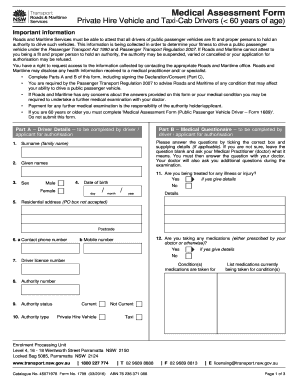
- In Part A, enter your personal details, including your surname, given names, sex, date of birth, residential address, contact phone numbers, driver licence number, authority number, and authority status.
- Complete the medical questionnaire in Part B. Answer questions regarding your health, including any illnesses, medications, or health conditions that may affect your ability to drive. Provide details where necessary.
- Ensure accuracy in your responses, and consult with your medical practitioner if you are unsure about any question. Include pertinent health information, especially regarding any treatments or medications.
- In Part C, read the privacy statement and fill out your declaration, confirming that all information provided is true and accurate. Sign and date this section.
- After completing all sections, review your responses for any missed fields or errors. Once confirmed, you can save changes, download, print, or share the form as needed.
Complete your Medical Assessment Form online today to ensure you meet the required health standards for public passenger vehicle drivers.
(uh-SES-ment) In healthcare, a process used to learn about a patient's condition.