Nd educational organizations regarding my employment and education. I authorize my former employers and educational organizations to fully and freely communicate information regarding my previous employment, attendance, and grades. I authorize those persons designated as references to fully and freely communicate information regarding my previous employment and education. I authorize GMS Mine Repair & Maintenance. to conduct background checks. Any information will be held confidential with GMS M.

Open form follow the instructions

Easily sign the form with your finger

Send filled & signed form or save
How to fill out the GMS Employment Application online
Completing the GMS Employment Application online is a straightforward process that helps you communicate your qualifications effectively. This guide will walk you through each section of the application, ensuring that you provide all necessary information accurately and confidently.
Follow the steps to successfully complete your application.
- Press the ‘Get Form’ button to access the application document and open it in your browser.
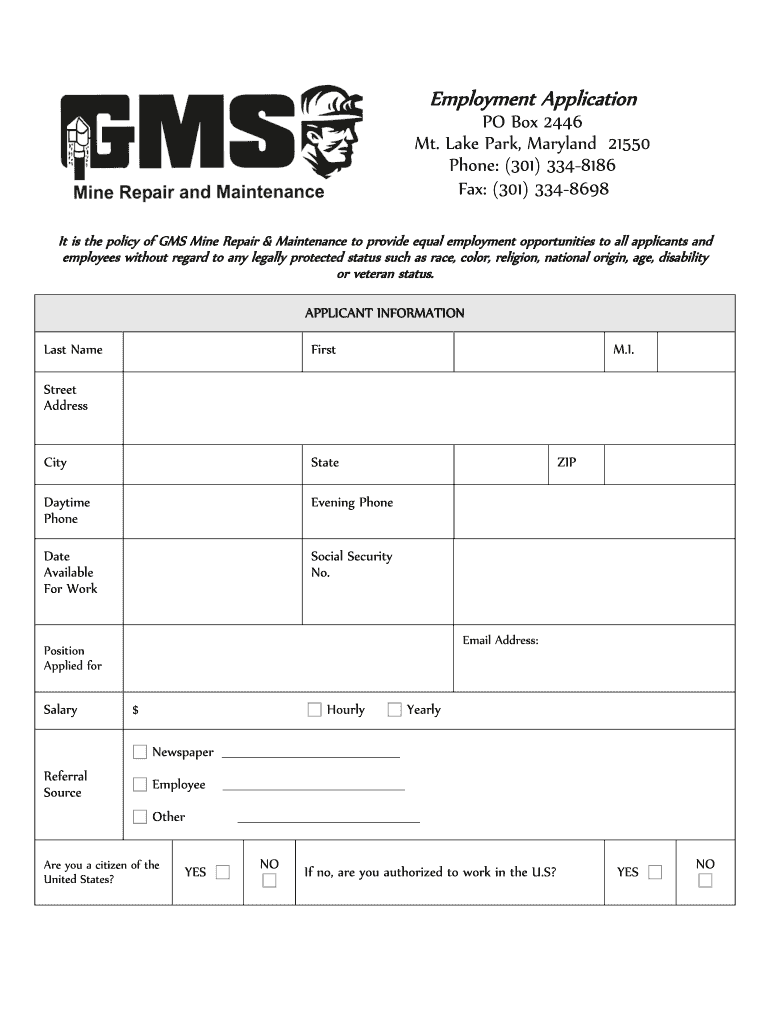
- Begin by entering your applicant information, including your last name, first name, middle initial, and contact details such as street address, city, state, zip code, phone numbers, email address, and the position you are applying for.
- Indicate your salary expectations by specifying whether you seek a yearly or hourly wage and include the desired amount.
- Complete the citizenship question and provide information about your eligibility to work in the U.S. Answer whether you have previously applied for work with GMS and disclose any past felony convictions.
- Fill out the emergency contact information, providing the name, relationship, and contact details of the person to reach in case of an emergency.
- Detail your educational background by listing your high school and college education, including addresses and degree status.
- Document your previous employment history, providing details for each job, including company name, supervisor, job title, salary, work performed, reason for leaving, and permission to contact the supervisor.
- List any relevant skills that may be beneficial for the job you are applying for, including your years of experience in those skills.
- If applicable, provide information regarding any military service, including branch, rank, and type of discharge.
- Include references by listing three individuals who can provide a recommendation for you, including their full name, relationship to you, company, and contact information.
- Review the disclaimer and signature section carefully. Certify that all information is accurate, then sign and date the application.
- After completing the application, ensure all changes are saved, and then download, print, or share the application as needed.
Successfully complete your application today to take the first step toward your future career.
Experience a faster way to fill out and sign forms on the web. Access the most extensive library of templates available.
Related content
Jan 1, 2025 — Total number of full-time equivalent (FTE) employees within your...
Hiring managers and departmental administrators can post job openings for student...
SonicWall Global Management System Secure Mobile Acess · 1 Click the Add Destination link...
Get answers to your most pressing questions about US Legal Forms API.
What does an employment application look like?
An employment application generally has a structured layout featuring sections for personal details, work experience, references, and sometimes questions specific to the job. The design can vary from simple forms to more complex layouts with checkboxes and dropdowns. By utilizing the GMS Employment Application, you can create a visually appealing and functional application that meets both your needs and those of potential candidates.
How do I create an employee application form?
To create an employee application form, begin by determining the information you want to collect from candidates. Focus on key areas like work experience, education, and contact information. Consider using a GMS Employment Application template from US Legal Forms, which can help you gather the necessary data effectively while maintaining a professional appearance.
How to create an employment application form?
Creating an employment application form involves identifying the key information you require from applicants. Structure your form to include sections for personal information, education, and employment history. Platforms like US Legal Forms can provide you with customizable templates for a GMS Employment Application, helping you develop a professional and comprehensive form quickly.
Do employers still use paper applications?
Yes, some employers still use paper applications, but many are shifting toward digital formats. Paper applications can be cumbersome to manage and store, whereas online applications allow for easier data collection and organization. The GMS Employment Application can offer a streamlined approach, enabling employers to move toward a more efficient, paperless application process.
What is a general employment application?
A general employment application is a form that gathers essential information from job seekers. It typically includes personal details, work experience, education, and references. Using a GMS Employment Application ensures consistency in the information collected, which helps employers efficiently review candidates and make informed hiring decisions.
How to write an application for employment as a worker?
Writing an application for employment requires a clear structure that includes a brief introduction of yourself, followed by your qualifications and work experience. Be sure to express your interest in the position and how your skills align with the company’s needs. Utilizing the GMS Employment Application as a guide can help you organize your information effectively, making your application more appealing.
How do I create a new application form?
Creating a new application form involves first deciding on the essential information you need from prospective employees. You can draft a clear outline, including personal details, job history, and skills. Once you have your content ready, you can use platforms like US Legal Forms to access ready-made templates, simplifying the entire process of generating a GMS Employment Application.
How to create an application form in Google Docs?
To create an application form in Google Docs, start by opening a new document. Use headings to categorize sections such as personal information, work experience, and references. You can easily format your text and add tables or checkboxes for better organization. After completing your layout, save it as a template for future use, ensuring you streamline your GMS Employment Application process.
What is a good opening sentence for a job application?
A compelling opening sentence for your GMS Employment Application could be, 'I am excited to apply for the position of Job Title at Company Name because of my strong background in Field/Skill.' This opening not only demonstrates your enthusiasm but also connects your skills to the job directly, making a positive impression from the start.
How to fill out an employment application?
To fill out an employment application effectively, especially the GMS Employment Application, begin with personal information and then outline your work experience chronologically. Each section should be filled with precision as it showcases your qualifications. Always double-check your entries to avoid common mistakes.
Use professional pre-built templates to fill in and sign documents online faster. Get access to thousands of forms.
If you believe that this page should be taken down, please follow our DMCA take down process here.