Loading
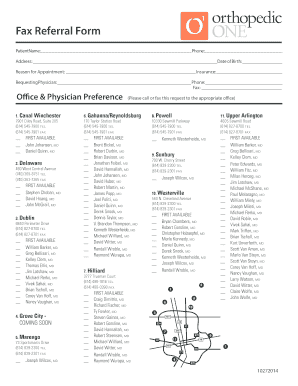
Get Fax Referral Form - Orthopedic One
How it works
-

Open form follow the instructions
-

Easily sign the form with your finger
-

Send filled & signed form or save
How to fill out the Fax Referral Form - Orthopedic ONE online
Filling out the Fax Referral Form for Orthopedic ONE can streamline your appointment scheduling process. This guide provides clear and concise instructions on how to complete the form accurately to ensure your referral is processed efficiently.
Follow the steps to complete the Fax Referral Form online.
- Press the ‘Get Form’ button to access the Fax Referral Form - Orthopedic ONE and open it in your preferred editor.
- Begin by entering the patient's full name in the designated field at the top of the form.
- Next, provide the patient's phone number to ensure easy communication regarding the appointment.
- Fill in the patient's address, ensuring all details are accurate for paperwork and potential follow-up.
- State the reason for the appointment in the corresponding field, providing as much detail as possible.
- Include the insurance information if applicable, which may be necessary for billing and coverage verification.
- Identify the requesting physician's name and their phone number to facilitate smooth communication between offices.
- Provide the fax number of the requesting physician to ensure your form reaches them correctly.
- In the office and physician preference section, select the preferred location from the listed options by filling in the corresponding details.
- Once all required fields are completed and checked for accuracy, save your changes.
- Finally, download, print, or share the form as needed to submit it as per the guidelines.
Complete your Fax Referral Form online today for a seamless appointment process.