Loading
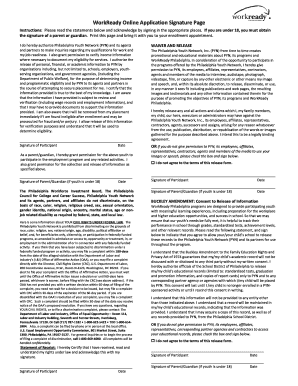
Get Workready Online Application Signature Page
How it works
-

Open form follow the instructions
-

Easily sign the form with your finger
-

Send filled & signed form or save
How to fill out the WorkReady Online Application Signature Page online
Filling out the WorkReady Online Application Signature Page is a vital step in the enrollment process for various youth employment programs. This guide provides comprehensive, step-by-step instructions to assist users in completing each section with clarity and confidence.
Follow the steps to complete your WorkReady Online Application Signature Page seamlessly.
- Click ‘Get Form’ button to access the WorkReady Online Application Signature Page and open it within your preferred online document editor.
- Carefully read all introductory statements and requirements outlined at the beginning of the signature page. Acknowledge your understanding before proceeding.
- Complete the participant signature section by signing your name in the designated space and filling in the date next to your signature.
- If you are under 18, navigate to the parent/guardian signature section. The parent or guardian must sign and date the form as well.
- Review the authorization statements regarding personal, financial, or academic information. Understanding these permissions is crucial before signing.
- If applicable, complete the waiver and release section by indicating consent to utilize images or speech for promotional purposes, or check the box if you do not agree to the terms.
- Provide your consent for the release of educational records from the school district by signing the Buckley Amendment section, ensuring to include the date.
- If the participant is a minor, complete the parental acknowledgment section regarding duties and hours of employment, specifying the employer's details and the minor’s tasks.
- Once all sections are properly filled out, save your changes, and utilize the options to download, print, or share the completed document as required.
Complete your WorkReady Online Application Signature Page today and take a step towards your employment opportunities.