Loading
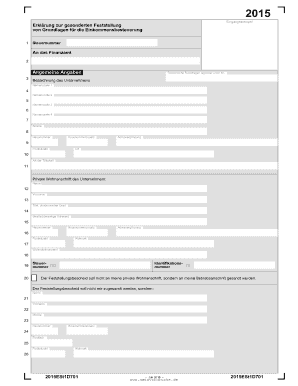
Get Edmontonsex
How it works
-

Open form follow the instructions
-

Easily sign the form with your finger
-

Send filled & signed form or save
How to fill out the Edmontonsex online
Filling out the Edmontonsex form online can be a straightforward process when you understand each section and required information. This guide provides a comprehensive overview and step-by-step instructions to help you successfully complete the form.
Follow the steps to easily complete the Edmontonsex form.
- Use the 'Get Form' button to obtain the Edmontonsex form and open it in your document management tool.
- Begin by entering your unique tax identification number in the designated field at the top of the form.
- Direct your attention to the general information section, where you will provide your business name and any additional name details across the multiple lines provided.
- Fill in your business address, including street, house number, and postal code, ensuring accuracy to avoid any delays.
- Indicate the nature of your business activities in the section specified for activity type.
- Provide your personal residential address if different from your business address. Include your full name, title, and current address details.
- Complete any additional sections related to changes during the assessment period, including details on assets and debts for accurate taxation reporting.
- Double-check all entries for accuracy, especially monetary values reported in the financial sections.
- Once finished, save your changes, and you will have options to download, print, or share your completed form.
Start filing your documents online to complete the Edmontonsex form effortlessly.