Loading
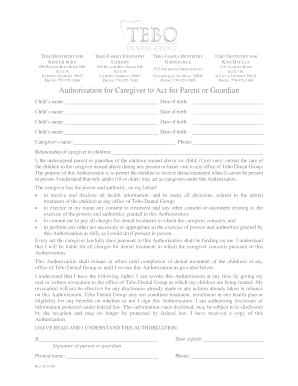
Get Tebo Dental Dacula Form
How it works
-

Open form follow the instructions
-

Easily sign the form with your finger
-

Send filled & signed form or save
How to fill out the Tebo Dental Dacula Form online
Filling out the Tebo Dental Dacula Form online can streamline your visit and ensure that all necessary information is collected efficiently. This guide provides step-by-step instructions to assist users in accurately completing the form, enhancing your experience.
Follow the steps to complete the Tebo Dental Dacula Form online:
- Press the ‘Get Form’ button to access the Tebo Dental Dacula Form and open it in the online editor.
- Begin filling out the patient information section by entering the patient's name, surname, and date of birth in the designated fields. Ensure that you provide accurate information regarding demographics, including the city, state, and zip code.
- Complete the parent or guardian section if the patient is a minor. Enter the guardian’s name, relationship to the patient, contact numbers, and address. Make sure to include the guardian's email address for future communications.
- Fill in the medical and dental insurance information, including the name of the insured, policy number, and the insurance company’s contact information.
- Review the dental history section, answering questions related to the child's past dental experiences and current health status. Be honest to ensure proper care recommendations.
- Complete the medical history, making sure to indicate if the child has any allergies, current medications, or any medical conditions that the dental office should be aware of.
- In the consent section, ensure to read the terms carefully. Sign and date the form where indicated, confirming that the provided information is accurate.
- After completing all necessary sections, you have the option to save changes, download, print, or share the form as needed.
Complete your documents online today for a seamless dental experience!