Loading
Get Fiscal Year 2017
How it works
-

Open form follow the instructions
-

Easily sign the form with your finger
-

Send filled & signed form or save
How to fill out the FISCAL YEAR 2017 online
Filling out the FISCAL YEAR 2017 application is an essential step in securing funding for conservation education projects. This guide provides clear instructions to help you navigate each section of the form with confidence and clarity.
Follow the steps to complete your application accurately.
- Click ‘Get Form’ button to obtain the form and open it in the editor.
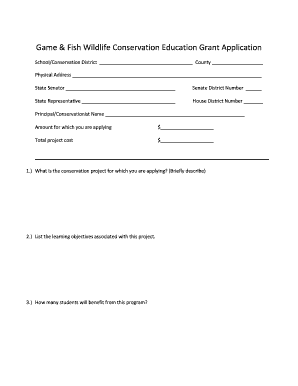
- Begin by entering your school or conservation district name and county in the designated fields to ensure your application is correctly identified.
- Provide your physical address, including city, state, and zip code. This information is crucial for communications regarding your application.
- Input the details for your local state senator and representative, including their names and district numbers, to comply with the application requirements.
- Clearly outline the amount for which you are applying and the total project cost. Ensure these figures reflect your project's actual financial needs.
- Detail your conservation project by describing it briefly in the designated area. Focus on the objectives and how the project will enhance conservation education.
- Indicate the learning objectives associated with your project, ensuring they align with the goals of the grant program.
- State the number of students who will benefit from the program, which will help assess the project’s impact.
- Explain how you will prepare for the project and outline any follow-up measures to track its success.
- Disclose whether you have previously received any AGFC fine funding. If so, provide an explanation.
- List any other funding sources linked to your project, showcasing financial partnerships and support.
- Mention any AGFC programs your district is currently involved in and highlight existing relationships with conservation initiatives.
- Detail the equipment, facilities, and resources relevant to your application and their current conditions. Attach additional sheets if necessary.
- Itemize your project’s cost estimate in the provided breakdown table. Each item should include its cost and be supported by backup documentation.
- Fill in the contact information for individuals knowledgeable about the application, including local governing officials if required.
- Complete the certification letter with your signature, ensuring all required signatures are included.
- Once finalized, save your changes, download, and print your application for your records. Be sure to submit an original application with original signatures by the deadline.
Start your online application today and secure funding for your conservation project.
In short, a financial year may be represented as FY. Generally, in India, financial year 2016-17 would be abbreviated as FY 2016-17 in statutory documents. However, following the American practice, some also use the nomenclature of FY 17 or FY 2017, which stands for the financial year ending 31 March 2017.