Loading
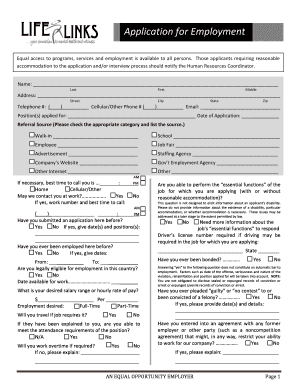
Get To Download The Lifelinks Application For Employment - Lifelinksinc
How it works
-

Open form follow the instructions
-

Easily sign the form with your finger
-

Send filled & signed form or save
How to fill out the To Download The LifeLinks Application For Employment - Lifelinksinc online
Filling out the LifeLinks Application for Employment is an important step in your job search. This guide will walk you through the sections of the application, providing clear instructions to help you complete it accurately and effectively.
Follow the steps to complete your application seamlessly.
- Click the ‘Get Form’ button to obtain the application form and open it in your editor of choice.
- Begin with your personal information. Fill in your name, including your last, first, and middle names, ensuring accurate spelling.
- Provide your current address by filling in the street, city, state, and zip code fields.
- Enter your phone numbers, including both your primary and other phones, as well as your email address for correspondence.
- Indicate the position you are applying for and the date of your application.
- Detail your referral source by checking the appropriate category and specifying the source.
- If applicable, mention the best time for them to contact you, and specify whether you can be reached at work.
- Respond to questions about previous applications or employment with the organization, noting significant dates and positions as necessary.
- Confirm your legal eligibility to work in the country and indicate your availability along with your desired salary.
- Address attendance, travel, and overtime requirements honestly, indicating your ability to meet those needs.
- For the employment history section, list your most recent employers, detailing your job responsibilities, supervisors, reasons for leaving, and whether they can be contacted for references.
- Summarize your skills and qualifications, particularly any relevant training or licenses.
- If applicable, provide details of your educational background, including the names of schools, courses studied, and whether you graduated.
- List three non-related references, ensuring to provide accurate contact details and how long you have known them.
- Complete any additional information sections, noting professional and civic memberships, special achievements, or relevant job-related details.
- Carefully read the applicant statement and, if in agreement, sign and date at the indicated spot. Review all entered information for accuracy.
- Finally, save your changes, download or print the form, and share it as required to complete the application process.
Complete your application online today to take the next step in your career with LifeLinks.
Industry-leading security and compliance
US Legal Forms protects your data by complying with industry-specific security standards.
-
In businnes since 199725+ years providing professional legal documents.
-
Accredited businessGuarantees that a business meets BBB accreditation standards in the US and Canada.
-
Secured by BraintreeValidated Level 1 PCI DSS compliant payment gateway that accepts most major credit and debit card brands from across the globe.