Loading
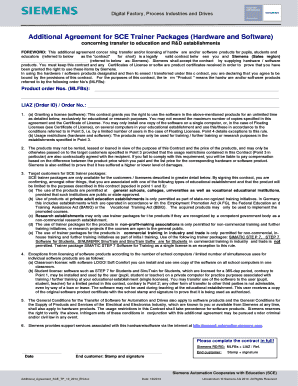
Get Additional Agreement For Sce Trainer Packages ... - Christiani - Christiani
How it works
-

Open form follow the instructions
-

Easily sign the form with your finger
-

Send filled & signed form or save
How to fill out the Additional Agreement for SCE Trainer Packages online
This guide provides a clear and supportive overview of how to complete the Additional Agreement for SCE Trainer Packages. By following these simple steps, users will be able to fill out the necessary fields accurately, ensuring compliance with the agreement terms.
Follow the steps to fill out the Additional Agreement effectively.
- Click the ‘Get Form’ button to obtain the form and open it in your preferred editor.
- Begin by entering the date of completion in the designated area of the form. Ensure the format is consistent with other date entries.
- In the section labeled 'Siemens RD/RG: MLFBs + LIAZ / Ref.', provide the specific MLFB numbers and any relevant reference identifiers. This information is necessary for your contract validation.
- Next, complete the 'End customer' fields. This includes the name of the educational institution or organization along with appropriate stamps and signatures. Ensure that all information is accurate and corresponds with official documents.
- Review section 1 about software licensing. Confirm you understand the limitations and permissions related to the software products included in this agreement. You may need to reference your institution's software usage policies.
- Continue to section 3, where you must affirm that your educational establishment fits one of the specified categories, e.g., a public institution, state-approved institution, or non-profit entity. Provide necessary certifications if required.
- After completing the necessary fields, review the entire document for accuracy, including ensuring that all signatures and stamps are correctly placed.
- Once the form is fully completed, you can save any changes, download a copy for your records, print the document, or share it as needed.
Start filling out your Additional Agreement for SCE Trainer Packages online today to secure your access to essential educational resources.
Industry-leading security and compliance
US Legal Forms protects your data by complying with industry-specific security standards.
-
In businnes since 199725+ years providing professional legal documents.
-
Accredited businessGuarantees that a business meets BBB accreditation standards in the US and Canada.
-
Secured by BraintreeValidated Level 1 PCI DSS compliant payment gateway that accepts most major credit and debit card brands from across the globe.