Loading
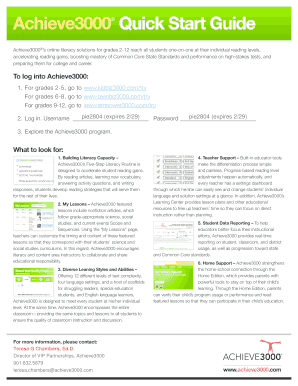
Get Achieve3000 Quick Start Guide
How it works
-

Open form follow the instructions
-

Easily sign the form with your finger
-

Send filled & signed form or save
How to fill out the Achieve3000 Quick Start Guide online
The Achieve3000 Quick Start Guide is designed to assist users in navigating Achieve3000’s literacy solutions. This comprehensive guide provides step-by-step instructions for completing the form online, ensuring a smooth and efficient experience for all users.
Follow the steps to successfully complete the Achieve3000 Quick Start Guide.
- Press the ‘Get Form’ button to access the form and open it in the online editor.
- Enter your username in the appropriate field to log into Achieve3000.
- Input your password in the designated area to complete the login process.
- Familiarize yourself with the Achieve3000 program by exploring the various sections available, including Literacy Capacity, My Lessons, and Teacher Support.
- Fill in any required fields in the form related to student information and lesson customization.
- Review the form for accuracy and completeness to ensure all necessary information is provided.
- Once all fields are filled, save your changes to the form by selecting the appropriate option.
- You can choose to download, print, or share the completed form as needed.
Start filling out the Achieve3000 Quick Start Guide online today!
Go to the Clever portal. Select the Achieve3000 icon. If necessary, select one of your classes and enter the platform. When you enter the platform for the very first time, LevelSet will launch.