Loading
Get Spaberry Manual
How it works
-

Open form follow the instructions
-

Easily sign the form with your finger
-

Send filled & signed form or save
How to fill out the Spaberry Manual online
This guide provides detailed instructions on filling out the Spaberry Manual online. By following these steps, users can efficiently manage their spa information and ensure proper usage.
Follow the steps to fill out the Spaberry Manual online.
- Press the ‘Get Form’ button to obtain the Spaberry Manual and open it in your digital editor.
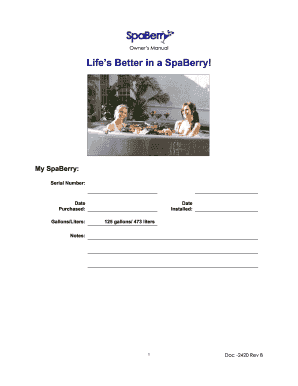
- Begin by entering 'My SpaBerry' followed by the serial number of your spa in the specified field.
- Next, input the 'Date Purchased' and 'Date Installed' in their respective fields. Ensure the date formats are consistent.
- Specify the capacity of your SpaBerry by indicating 'Gallons/Liters'. Reference the capacity instructions to fill in this section accurately.
- Use the 'Notes' section for any additional information or comments about your spa usage or maintenance.
- Review all entered information for accuracy and completeness before proceeding.
- Once all fields are filled out, you can choose to save your changes, download, print, or share the completed Spaberry Manual.
Complete your documentation online to ensure the best care and operation of your Spaberry.
The Size of Your Hot Tub: You will also have to establish an appropriate cleaning routine for that amount of water. A four to six-person hot tub can typically hold approximately 300 to 450 gallons of water. An eight to seven-person hot tub will have around 475 to 650 gallons.
Industry-leading security and compliance
US Legal Forms protects your data by complying with industry-specific security standards.
-
In businnes since 199725+ years providing professional legal documents.
-
Accredited businessGuarantees that a business meets BBB accreditation standards in the US and Canada.
-
Secured by BraintreeValidated Level 1 PCI DSS compliant payment gateway that accepts most major credit and debit card brands from across the globe.